Restoring Scenes from Backups
Talemate provides two ways to return a scene to a previous state:
- Restore from Backup — use the automatic version history to go back to any previous revision (covered on this page)
- Restore from Restore Point — reset to a specific save file you've designated as a baseline in the scene settings
Both methods create a new, unsaved scene — your existing files are never modified.
Restore from backup
Every time you save, Talemate records the changes as a delta in the scene's changelog directory. This version history lets you restore a scene to any previous revision.
How to restore
- From the main screen, locate your scene in the Quick load section
- Click the three-dot menu (⋮) on the scene card
- Select Restore from Backup

Restore options
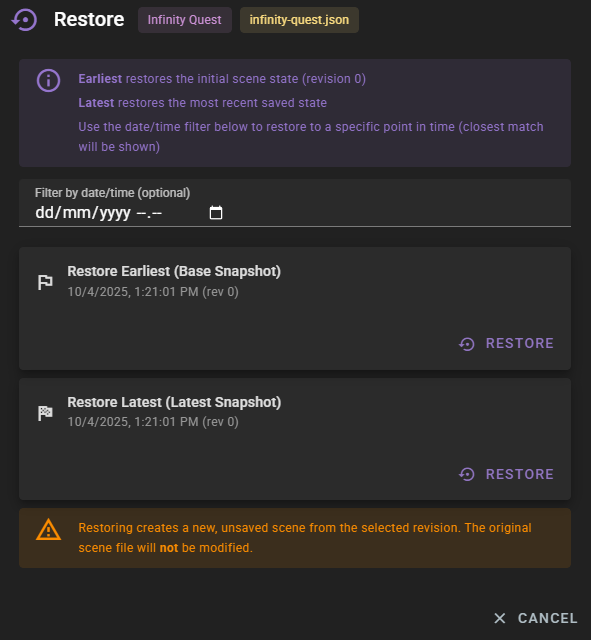
The backup restore dialog provides several restoration options:
- Restore Earliest - Returns the scene to its initial state (revision 0)
- Restore Latest - Restores the most recent saved state
- Filter by date/time - Find and restore to a specific point in time
When you use the date/time filter, Talemate will show the closest available revision to your selected time.
Important notes
Warning
Restoring creates a new, unsaved scene from the selected revision. Your original scene file will not be modified. This allows you to safely explore previous states without losing your current progress.
After restoration:
- The restored scene opens as a new, unsaved scene
- You must manually save it to preserve the restored state
- The original scene file remains unchanged in its current state
Restore from restore point
If you've configured a restore point in the scene settings, you can reset the scene to that baseline state using the Restore Scene button. This is useful for scenes you want to replay from a fixed starting point, such as testing a scene during development.
Unlike backup restoration, which uses the automatic version history, restore points use a specific save file you've chosen as the baseline. See the restoration settings documentation for setup details.