Settings
Update World State
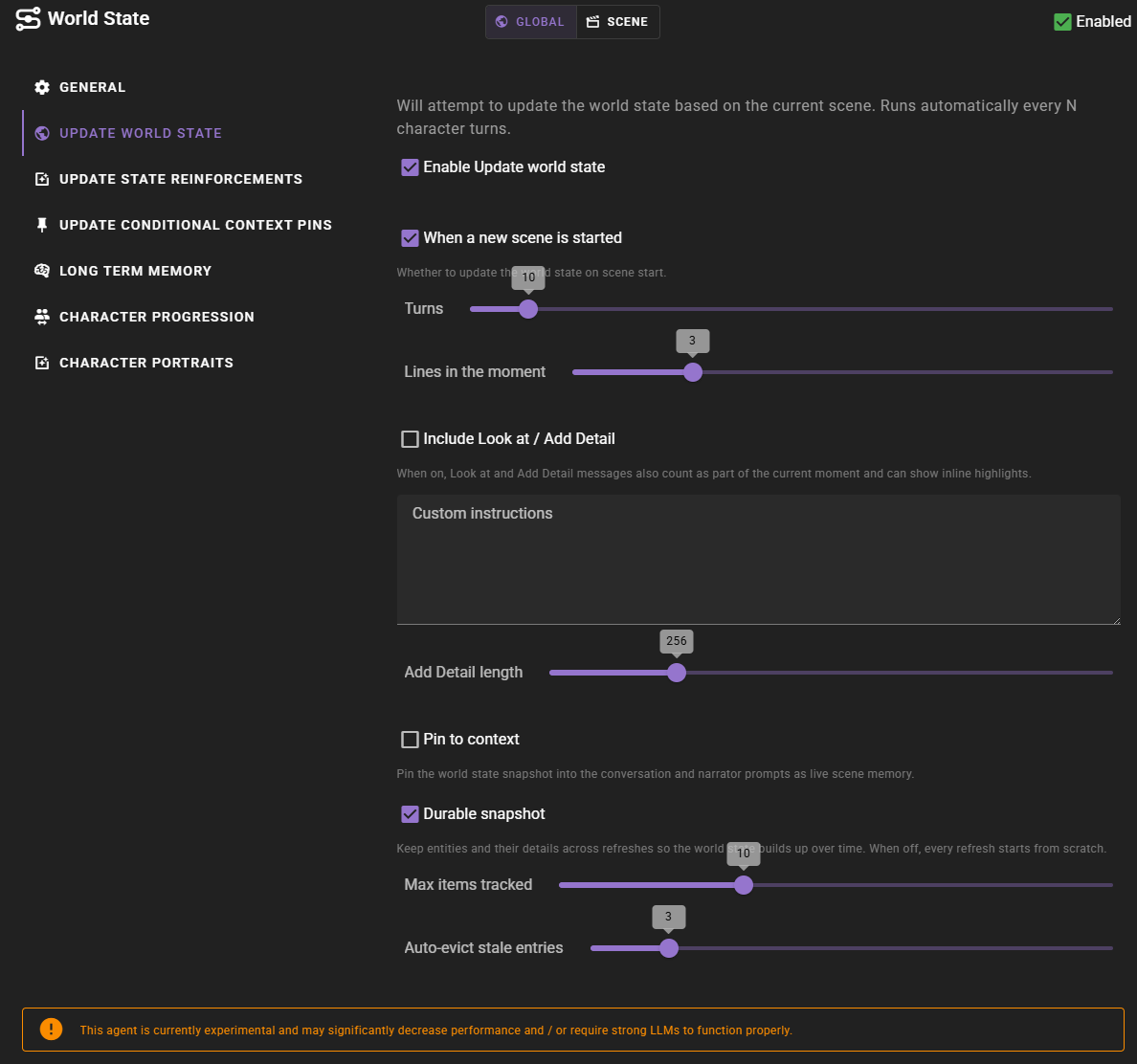
Update world state
Will attempt to update the world state snapshot based on the current scene. Runs automatically every N character turns.
When a new scene is started
Whether to generate an initial snapshot as soon as a scene is loaded. On by default.
Turns
How many character turns to wait before the snapshot is refreshed. Each player or AI turn counts (not full rounds), so on a scene with several characters the snapshot refreshes more often than the number alone might suggest. Defaults to 10.
Lines in the moment
How many of the most recent messages count as the "current moment". These are the lines the snapshot anchors to, and they are the messages that can show inline entity highlights. Keeping this small keeps the highlights tied to the active beat while the rest of the scene is still used as background context.
Include Look at / Add Detail
When on, Look at and Add Detail results also count as part of the current moment and can receive inline highlights. Off by default.
Custom instructions
Free-form instructions that steer what the snapshot focuses on. Use this to nudge the agent toward (or away from) certain kinds of detail. Empty by default.
Add Detail length
How long an Add Detail result can be. Shorter lengths keep the generated description tighter; longer lengths allow more elaboration.
Pin to context
When on, the snapshot is pinned into the conversation, narrator, and scene-analysis prompts as live scene notes, so the tracked entities can inform dialogue, narration, and planning. Off by default. See Pinning the snapshot to the scene.
Durable snapshot
When on (the default), each refresh updates only what has changed and carries the rest of the snapshot forward, instead of rebuilding it from scratch every time. This lets the snapshot accumulate detail over the course of a scene. When off, every refresh starts fresh. See How the snapshot carries forward.
The two settings below only apply when Durable snapshot is on.
Max items tracked
The maximum number of items the snapshot can hold at once. When a refresh would exceed this, the stalest items are dropped first. Set to 0 for no limit.
Auto-evict stale entries
Automatically drops a snapshot entry that the agent leaves unchanged for this many refreshes in a row. This guards against stale entries lingering when the agent fails to remove them on its own. Set to 0 to disable.
Update state reinforcements
Will attempt to update any due tracked states
This is checked every turn and if there are any state reinforcements that are due, they will be updated.
What is a tracked state?
Tracked states occassionally re-inforce the state of the world or a character. This re-inforcement is kept in the context sent to the AI during generation, giving it a better understanding about the current truth of the world.
Some examples could be, tracking a characters physical state, time of day, or the current location of a character.
Update conditional context pins
Will attempt to evaluate and update any due conditional context pins.
Turns
How many turns to wait before the conditional context pins are updated.
Character Progression
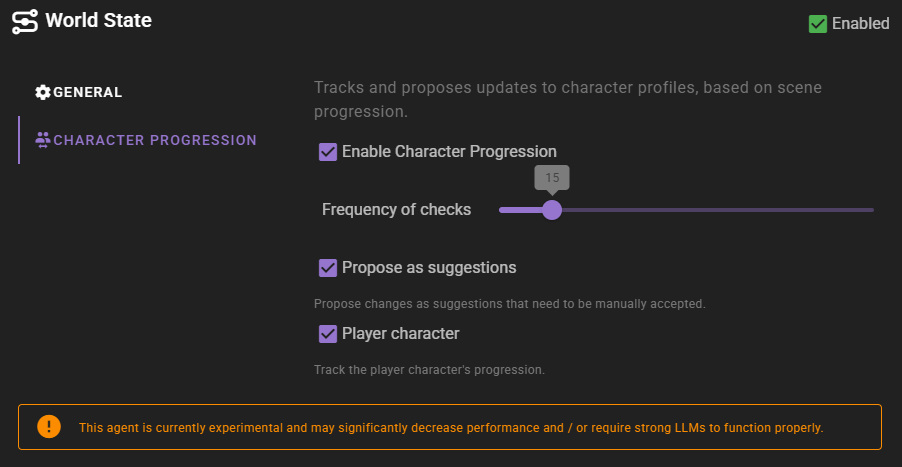
Frquency of checks
How often ot check for character progression.
This is in terms of full rounds, not individual turns.
Propose as suggestions
If enabled, the proposed changes will be presented as suggestions to the player.
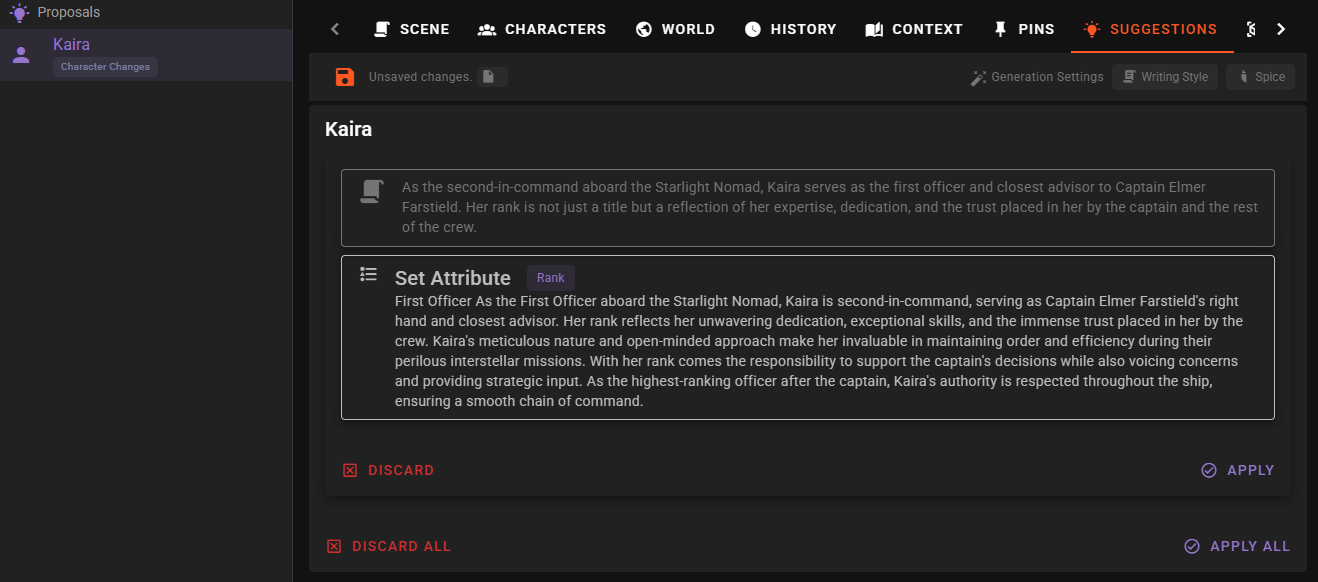
When a proposal has been generated it, if the character currently is acknowledged in the worldstate, a lightbulb will appear next to the character name.
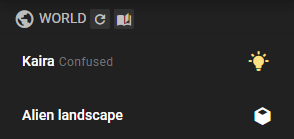
Click the name to expand the character entry and then click the to view the proposal.
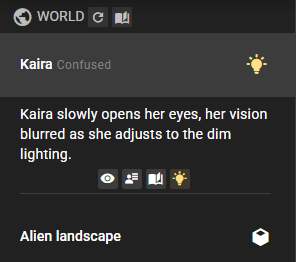
You will be taken to the world editor suggestions tab where you can view the proposal and accept or reject it.
Player character
Enable this to have the player character be included in the progression checks.
Character Portraits
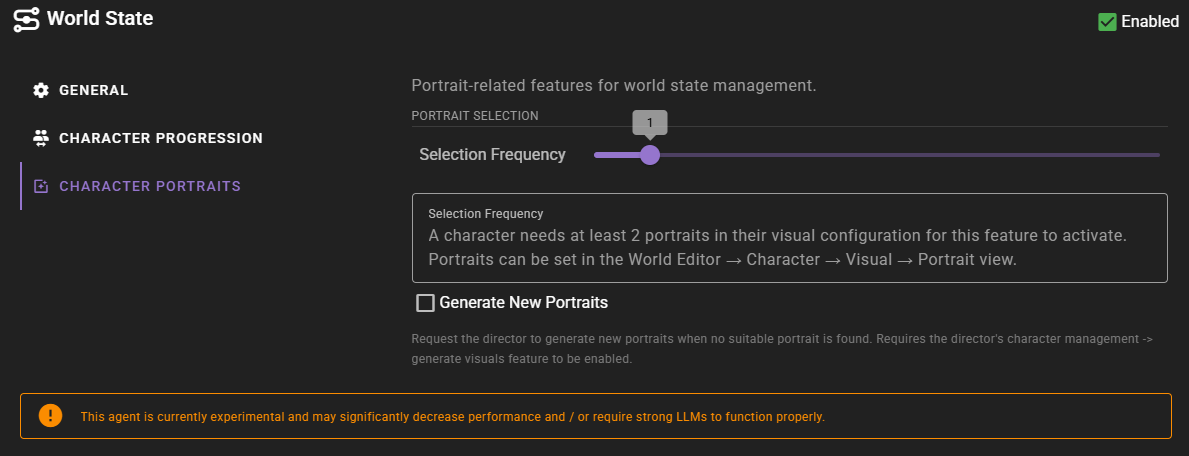
The Character Portraits settings control how character avatars are displayed alongside dialogue messages and whether they should change automatically based on the scene context.
Portrait Selection
Selection Frequency
Controls how often the World State Agent evaluates which portrait to use for a character based on the current scene context.
- 0: Never automatically select portraits (portraits must be changed manually)
- 1: Evaluate with every new message
- 2-10: Evaluate every N messages
When a message is generated, the agent examines the content and context of the scene, then compares it against the tags associated with each portrait to find the best match.
Minimum Portraits Required
A character needs at least 2 portraits in their visual configuration for automatic selection to activate. You can manage portraits in the World Editor under Character > Visuals > Portrait.
Tag Your Portraits
The selection algorithm relies on portrait tags to make decisions. Portraits without tags cannot be intelligently selected. Add descriptive tags like "happy", "sad", "angry", "combat", "formal" to each portrait using the Visual Library.
Generate New Portraits
Generate New Portraits
When enabled, the World State Agent can request the Director to generate new portraits when no suitable portrait is found for the current scene context.
For example, if a character is described as wearing formal attire at a party but no existing portrait shows them in formal wear, the system can automatically commission a new portrait showing the appropriate appearance.
Prerequisites
This feature requires:
- The Director's Character Management > Generate Visuals setting to be enabled
- A Visual Agent with an image generation backend configured
When a new portrait is generated, it is automatically added to the character's portrait collection and tagged based on the scene context.
Long Term Memory
When generating the world state snapshot, the agent pulls in relevant long-term memory so the snapshot can build on established lore and earlier scene history. Semantic recall is always used and is on by default.
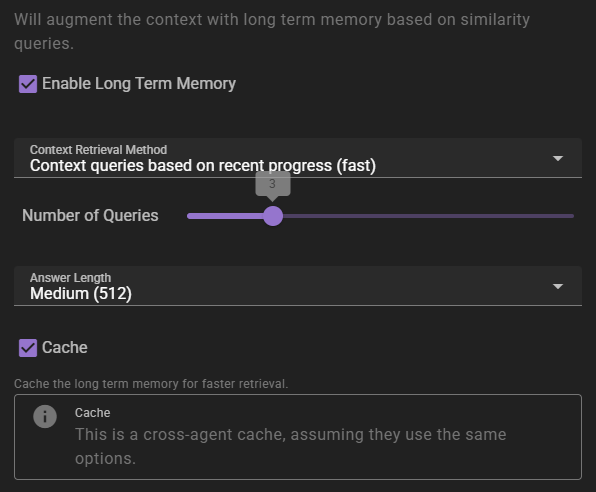
If enabled will inject relevant information into the context using relevancy through the Memory Agent.
Context Retrieval Method
What method to use for long term memory selection
Context queries based on recent context- will take the last 3 messages in the scene and select relevant context from them. This is the fastest method, but may not always be the most relevant.Context queries generated by AI- will generate a set of context queries based on the current scene and select relevant context from them. This is slower, but may be more relevant.AI compiled questions and answers- will use the AI to generate a set of questions and answers based on the current scene and select relevant context from them. This is the slowest, and not necessarily better than the other methods.
Number of queries
This settings means different things depending on the context retrieval method.
- For
Context queries based on recent contextthis is the number of messages to consider. - For
Context queries generated by AIthis is the number of queries to generate. - For
AI compiled questions and answersthis is the number of questions to generate.
Answer length
The maximum response length of the generated answers.
Cache
Enables the agent wide cache of the long term memory retrieval. That means any agents that share the same long term memory settings will share the same cache. This can be useful to reduce the number of queries to the memory agent.