DeepSeek Client
If you want to add a DeepSeek client, change the Client Type to DeepSeek.
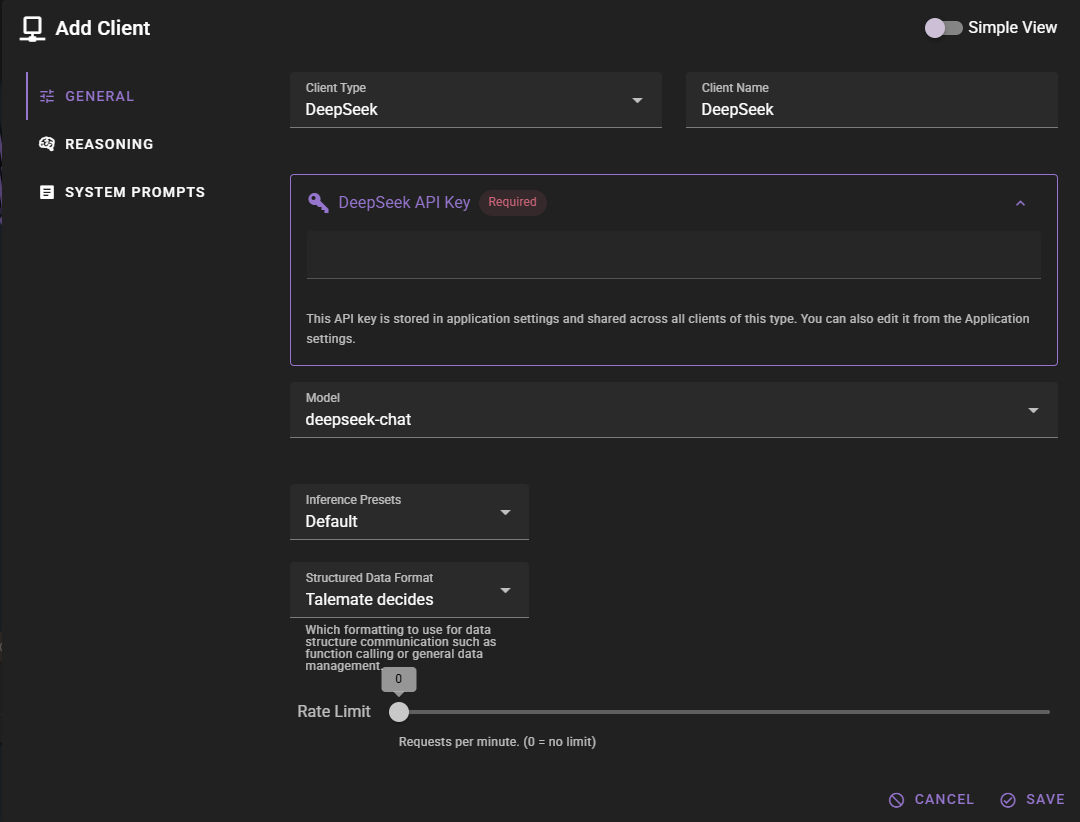
Click Save to add the client.
DeepSeek API Key
The client should appear in the clients list. If you haven't set up DeepSeek before, you will see a warning that the API key is missing.
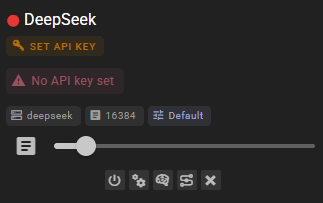
Click the SET API KEY button. This will open the API settings window where you can add your DeepSeek API key.
You can obtain an API key from the DeepSeek Platform.
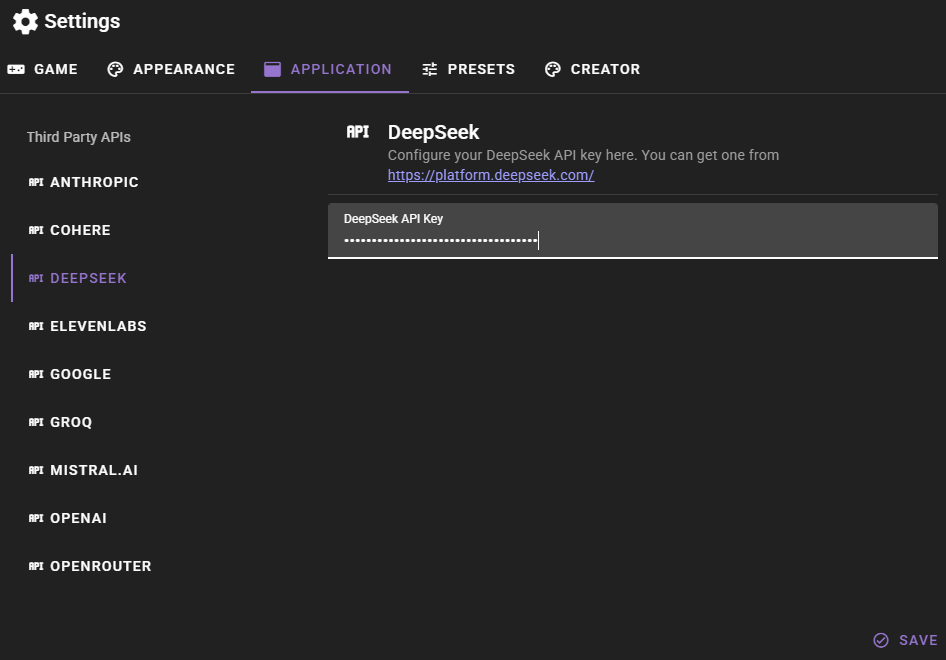
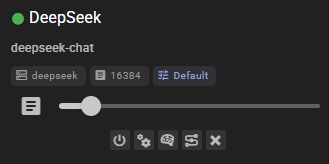
Click Save and after a moment the client should have a green dot next to it, indicating that it is ready to go.
Ready to use
Settings
Client Name
A unique name for the client that makes sense to you.
Model
Which model to use. Available models include:
- deepseek-chat - DeepSeek's general-purpose chat model
- deepseek-reasoner - DeepSeek's reasoning model that thinks step-by-step before responding
Talemate lags behind DeepSeek
When DeepSeek adds a new model, it may take a Talemate update to add it to the list of available models. However, you can always manually enter any model name in the model field if you know the exact model identifier.
Using deepseek-reasoner
The deepseek-reasoner model is a reasoning model that performs internal thinking before producing the final answer.
Enable reasoning and allocate tokens
To use deepseek-reasoner effectively in Talemate:
- Enable the Reasoning option in the client configuration.
- Set Reasoning Tokens to a sufficiently high value to make room for the model's thinking process.
A good starting range is 512-1024 tokens. Increase if your tasks are complex. Without enabling reasoning and allocating tokens, the model may return minimal or empty visible content because the token budget is consumed by internal reasoning.
See the detailed guide: Reasoning Model Support.
Response Length Enforcement
Controls whether token limits and/or human-readable response length instructions are sent with prompts. Defaults to Limit tokens and send instructions.
See Response Length Enforcement for details.