KoboldCpp Client
This requires you to have a KoboldCpp instance running
If you do not have a KoboldCpp instance running, you can follow their setup instructions in their GitHub repository.
Support for KoboldCpp's image generation
If your KoboldCpp instance loads a stable diffusion model via Automatic1111 the Visual Agent will be automatically configured to use it - unless its already configured to use another backend.
Support for KoboldCpp's TTS
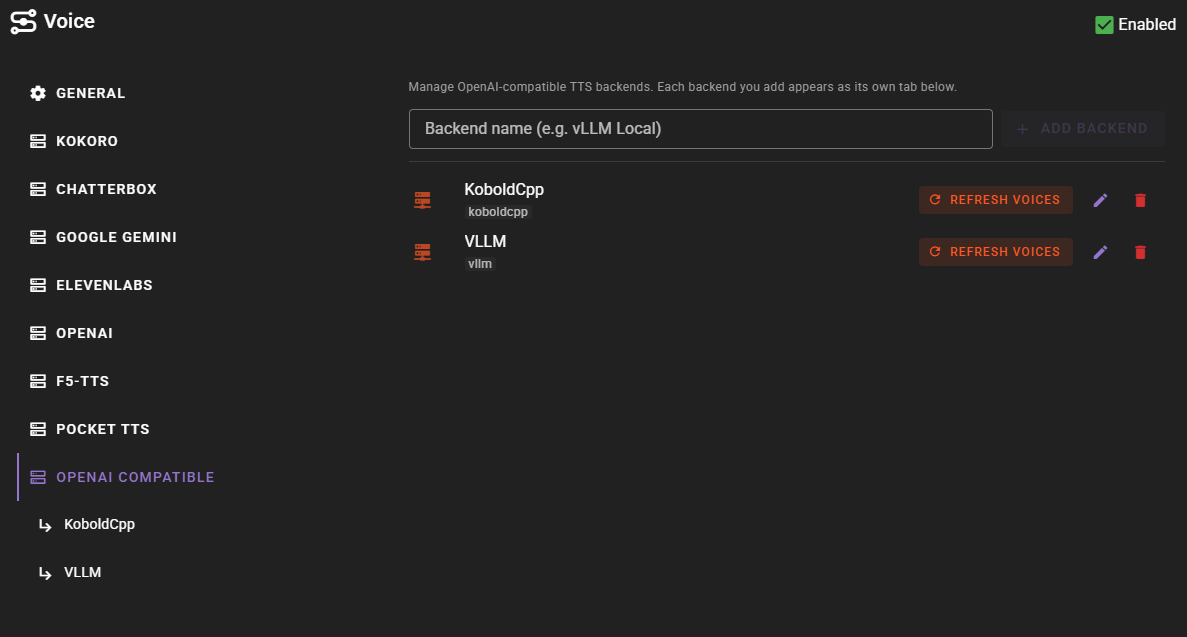
If your KoboldCpp instance loads a TTS model, the Voice agent will automatically register it as an OpenAI-compatible backend. See TTS auto-setup below.
If you want to add an KoboldCpp client, change the Client Type to KoboldCpp.
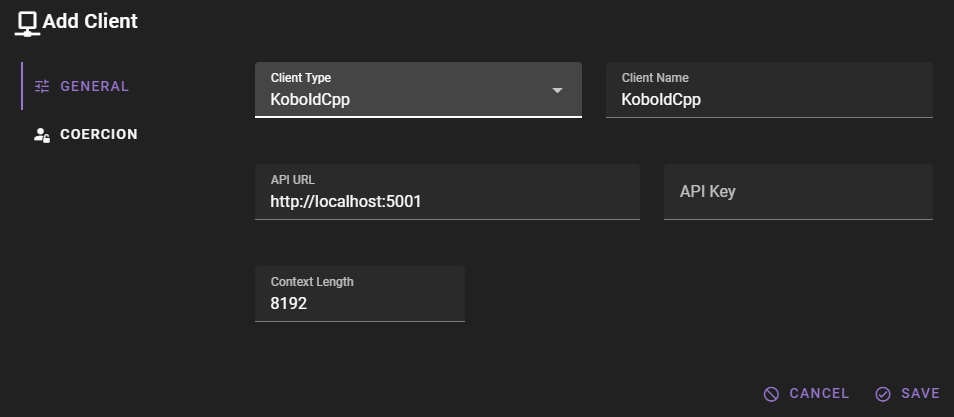
Should work out of the box with a local KoboldCpp instance
The default values should work with a local KoboldCpp instance if you have followed their setup instructions and are running the server on the default port.
Click Save to add the client.
Ready to use
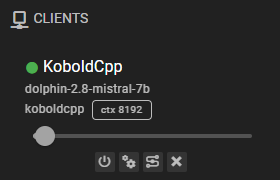
Once it is added, the client should appear in the clients list and should display the currently loaded model.
Settings
Client Name
A unique name for the client that makes sense to you.
API Url
The URL of your KoboldCpp instance, without any path. For example, http://localhost:5000.
Use the OpenAI abstraction
Talemate supports both their OpenAI api abstraction and their United api. It will default to the United api.
To use the OpenAI api, append /v1 to the URL. For example, http://localhost:5000/v1.
API Key
If the KoboldCpp instance requires an API key, you can set it here.
Context Length
The number of tokens to use as context when generating text. Defaults to 8192.
Generation Parameters
KoboldCpp supports several advanced generation parameters that you can configure through the Inference Presets in App Settings.
When using the United API (the default), the following parameters are supported:
| Parameter | Description |
|---|---|
| Temperature | Controls randomness in generation. Higher values produce more varied output. |
| Top-P | Nucleus sampling - considers tokens comprising the top P probability mass. |
| Top-K | Limits sampling to the K most likely tokens. |
| Min-P | Filters out tokens below a minimum probability threshold relative to the most likely token. |
| Presence Penalty | Penalizes tokens that have already appeared in the text, encouraging the model to discuss new topics. |
| Frequency Penalty | Penalizes tokens based on how frequently they have appeared, reducing repetition of common words. |
| Repetition Penalty | Applies a penalty to repeated tokens within a specified range. |
| XTC | Exclude Top Choices - removes the most likely tokens to encourage more creative outputs. |
| DRY | Don't Repeat Yourself - advanced repetition penalty that targets repeated sequences. |
| Smoothing | Applies quadratic smoothing to the token probability distribution. |
| Adaptive-P | Dynamically adjusts the sampling threshold based on token probabilities. |
API Mode Affects Available Parameters
The full set of parameters is only available when using the United API (the default). If you append /v1 to your API URL to use the OpenAI-compatible mode, only a limited subset of parameters (temperature, top_p, presence_penalty, max_tokens) will be sent.
TTS auto-setup
New in 0.37.0
When a KoboldCpp client has a TTS model loaded, the Voice agent automatically registers it as an OpenAI Compatible backend — no manual configuration needed.
Lifecycle
The Voice agent polls each configured client on its periodic status tick and reacts to whatever the kobold instance currently reports:
| Kobold state | What the Voice agent does |
|---|---|
| Started with a TTS model loaded | Adds a backend named after the client, points it at <client_url>/v1, enables it in Enabled APIs, and refreshes its voice list. |
| Restarted without a TTS model | Disables the backend (drops the slug from Enabled APIs) but keeps the backend's configuration so any model overrides, custom voices endpoint, etc. survive. |
| Briefly unreachable | No state change in either direction. Only a definitive answer from KoboldCpp's capabilities endpoint flips the backend on or off. |
When you reload a TTS model on the same kobold instance, the next status tick re-enables the existing backend instead of creating a new one — your previous configuration is reused.
Detection
The Voice agent looks at KoboldCpp's /api/extra/version capabilities endpoint and reads the tts flag. The voice listing is not used for detection because KoboldCpp pre-populates a small set of default voices regardless of whether a TTS model is actually loaded.
Backends are matched by URL. If you manually edit an auto-managed backend's API base URL, the next tick treats it as no longer auto-managed (the URL no longer points at the kobold), and a fresh auto-managed backend is created on the next tick when the kobold still has TTS loaded.
Opting out
Auto-setup is governed by the agent-level Automatic Setup toggle in the Voice agent's General settings (default on). Turning it off stops the Voice agent from auto-registering or auto-toggling backends from any client, including KoboldCpp. Already-registered backends stay where they are — you can keep them, edit them, or remove them by hand.
Common issues
Generations are weird / bad
Make sure the correct prompt template is assigned.
Could not connect
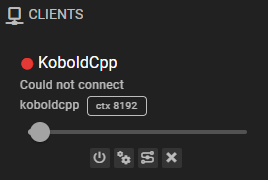
This means that either your KoboldCpp instance is not running, the url is incorrect, or the connection is somehow blocked. (For example, by a firewall)
Response Length Enforcement
Controls whether token limits and/or human-readable response length instructions are sent with prompts. Defaults to Limit tokens and send instructions.
See Response Length Enforcement for details.