TabbyAPI Client
This requires you to have a TabbyAPI instance running
If you do not have a TabbyAPI instance running, you can follow their setup instructions in their GitHub Repository.
If you want to add a TabbyAPI client, go to Settings → Connections → Clients, click Add client and pick TabbyAPI from the client type menu.
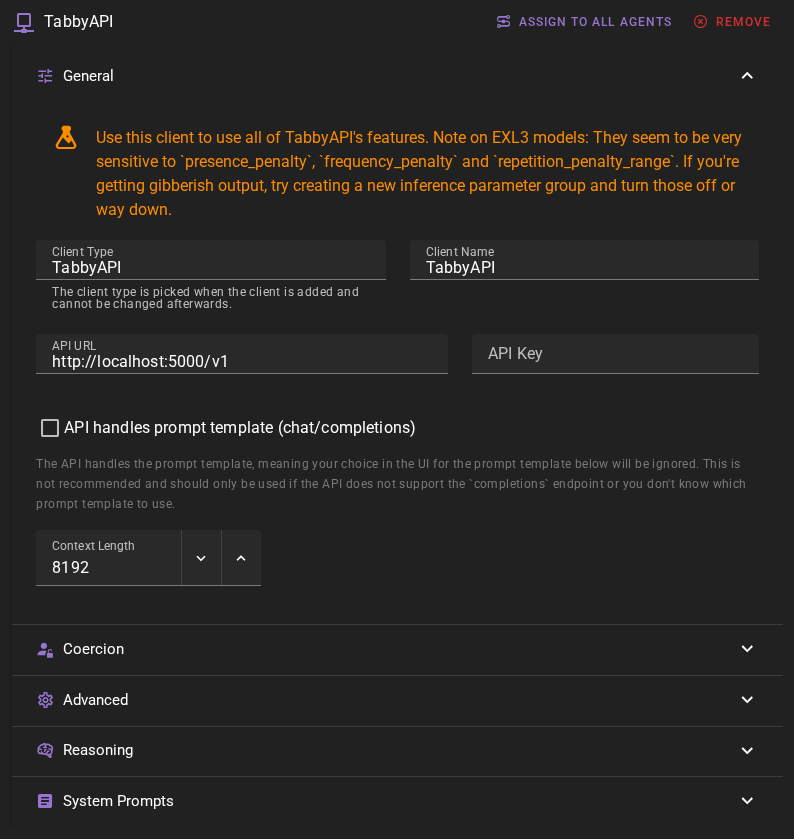
Should work out of the box with a local TabbyAPI instance
The default values should work with a local TabbyAPI instance if you have followed their setup instructions and are running the server on the default port.
Click Save in the toolbar to add the client.
Ready to use
Once it is added, the client should appear in the clients list and should display the currently loaded model.
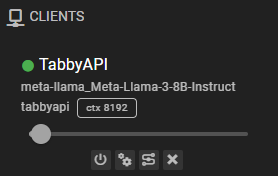
Settings
Client Name
A unique name for the client that makes sense to you.
API Url
The URL of your TabbyAPI instance, without any path. For example, http://localhost:5000/v1.
API Key
If the TabbyAPI instance requires an API key, you can set it here.
API handles prompt template
This will cause requests to go to the chat/completions API instead and TabbyAPI will be in control of the prompt template. This means if you enable this TabbyAPI needs to be configured correctly and Talemate will also lose control of the prompt template, causing a likely loss in quality.
In this mode TabbyAPI can return a reasoning model's thinking separately, and Talemate then captures it without a reasoning pattern. If the thinking stays in the answer instead (TabbyAPI's reasoning parser is off, or the model uses tags it does not detect), Talemate strips it with your reasoning pattern. A response without a matching pattern is used as it is, unless you set a validation pattern or a reason prefill. Talemate also tells the model's template whether to think, following the client's Reasoning setting.
This setting is recommended to keep disabled.
Context Length
The number of tokens to use as context when generating text. Defaults to 16384.
When your response length setting sends no token cap, TabbyAPI lets the response use the rest of the context the model was loaded with, which can be more than this setting.
Common issues
Generations are weird / bad
Talemate tries to pick the prompt template automatically from the model name TabbyAPI reports (the model's folder name), so keep the folder name close to the model's Hugging Face name. Make sure the correct prompt template is assigned.
Could not connect
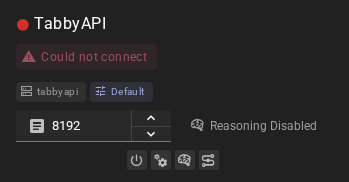
Possible reasons:
- TabbyAPI instance is not running
- the API url is incorrect
- the API key is incorrect
- the connection is somehow blocked. (For example, by a firewall)
Response Length Enforcement
Controls whether token limits and/or human-readable response length instructions are sent with prompts. Defaults to Limit tokens and send instructions.
See Response Length Enforcement for details.