Settings
General
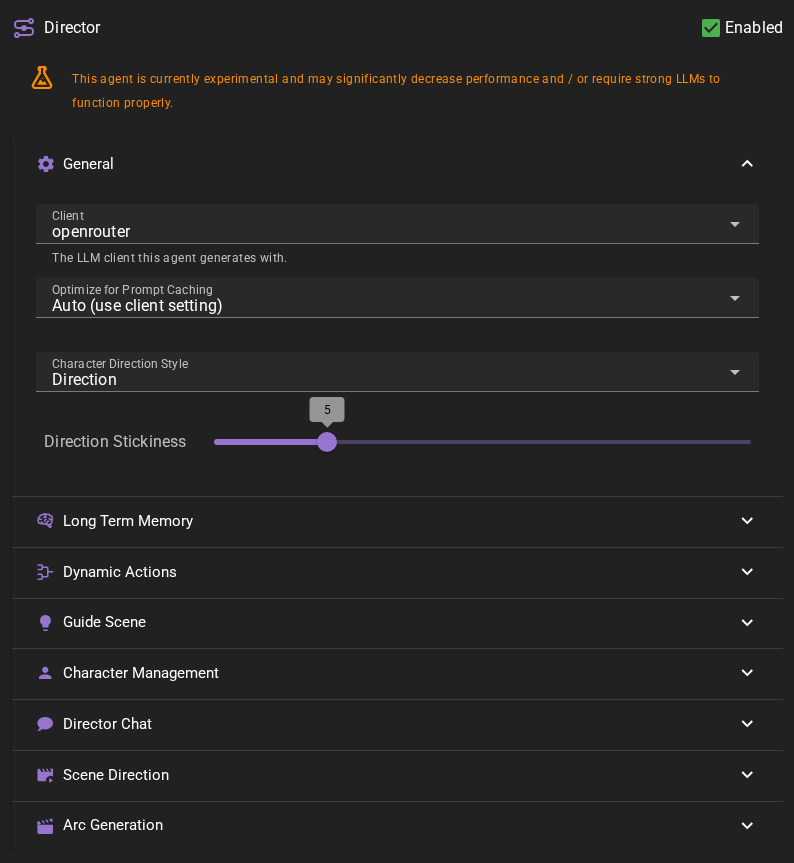
Client
The text-generation client to use for director generations.
Optimize for Prompt Caching
Places volatile context (long term memory, dynamic notes) after the scene history so that the stable part of the prompt can be cached by API backends. May confuse weaker models. Auto defers to the client setting.
Character Direction Style
When an actor is given a direction, how is it to be injected into the context
DirectionInner Monologue
If Direction is selected, the actor will be given the direction as a direct instruction, by the director.
If Inner Monologue is selected, the actor will be given the direction as a thought.
Direction Stickiness
Controls how many scene messages the system looks back when retrieving character directions. This determines how long directions "stick" and continue to influence character behavior.
- Range: 1 to 20
- Default: 5
When you direct an actor, that direction doesn't just apply to their next response—it persists across multiple turns based on this setting. For example, with a stickiness of 5, a direction to "act suspiciously" will continue to influence the character's behavior for up to 5 relevant scene messages.
Time passage clears directions
Directions are automatically cleared when time passes in the scene. This ensures that directions given in one scene segment don't inappropriately carry over into a new time period.
Long Term Memory
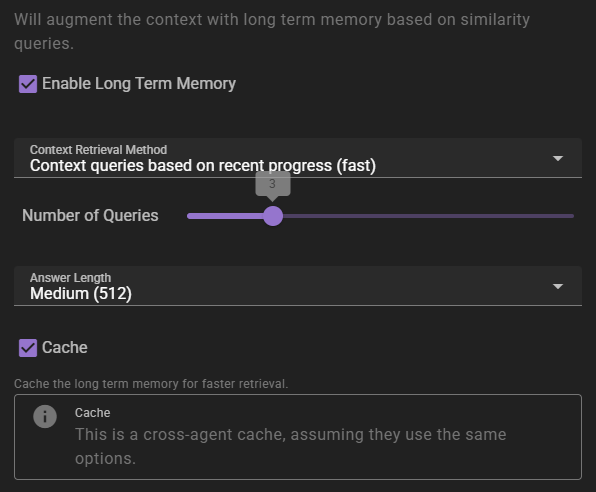
If enabled will inject relevant information into the context using relevancy through the Memory Agent.
Context Retrieval Method
What method to use for long term memory selection
Context queries based on recent context- will take the last 3 messages in the scene and select relevant context from them. This is the fastest method, but may not always be the most relevant.Context queries generated by AI- will generate a set of context queries based on the current scene and select relevant context from them. This is slower, but may be more relevant.AI compiled questions and answers- will use the AI to generate a set of questions and answers based on the current scene and select relevant context from them. This is the slowest, and not necessarily better than the other methods.
Number of queries
Only shown for the two AI-assisted retrieval methods. It means different things depending on the method.
- For
Context queries generated by AIthis is the number of queries to generate. - For
AI compiled questions and answersthis is the number of questions to generate.
The default is 5. None (Semantic similarity only) does not use it.
Answer length
The maximum response length of the generated answers.
Cache
Enables the agent-wide cache of long term memory retrieval. Agents that share the same long term memory settings share the cache. AI-assisted retrieval publishes a cached result; character-scoped retrieval in Character perspectives mode can also cache semantic-only results. Standard semantic-only retrieval remains uncached.
Regenerating a reply reuses a published result only when the story before that reply, the memory sources available to the retrieval, and its settings are unchanged. New or edited world entries, character details and archives refresh affected cached results, as do relevant knowledge visibility and memory-collection changes. When retrieval is limited to character knowledge, access rules tied to the reply being regenerated do not count as earlier sources. Without that limit, access rules do not affect retrieval. Changes to older retained access rules still refresh affected results. A retrieval already in progress can finish with its earlier context. A result built before one of those inputs changed is not reused after the change.
Dynamic Actions
Dynamic actions are introduced in 0.28.0 and allow the director to generate a set of clickable choices for the player to choose from.
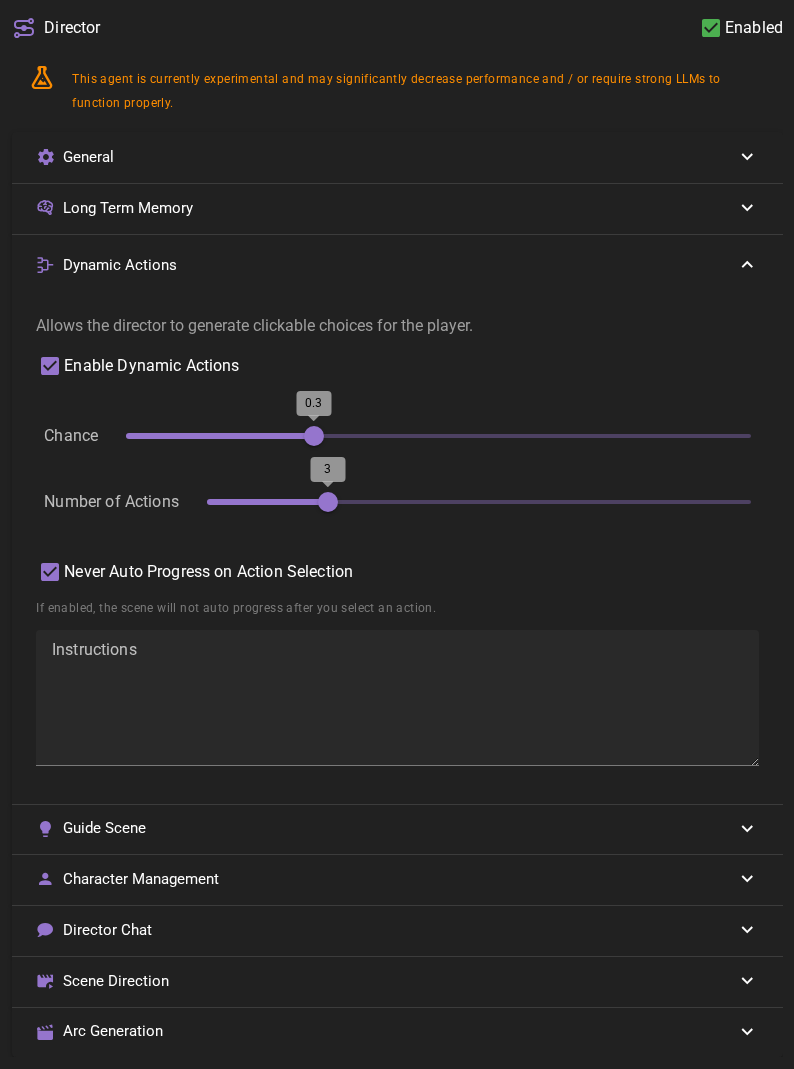
Enable Dynamic Actions
If enabled the director will generate a set of clickable choices for the player to choose from.
Chance
The chance that the director will generate a set of dynamic actions when its the players turn.
This ranges from 0 to 1. 0 means the director will never generate dynamic actions, 1 means the director will always generate dynamic actions.
Number of Actions
The number of actions to generate.
Never auto progress on action selection
If this is checked and you pick an action, the scene will NOT automatically pass the turn to the next actor.
Instructions
Allows you to provide extra specific instructions to director on how to generate the dynamic actions.
For example you could provide a list of actions to choose from, or a list of actions to avoid. Or specify that you always want a certain action to be included.
Guide Scene
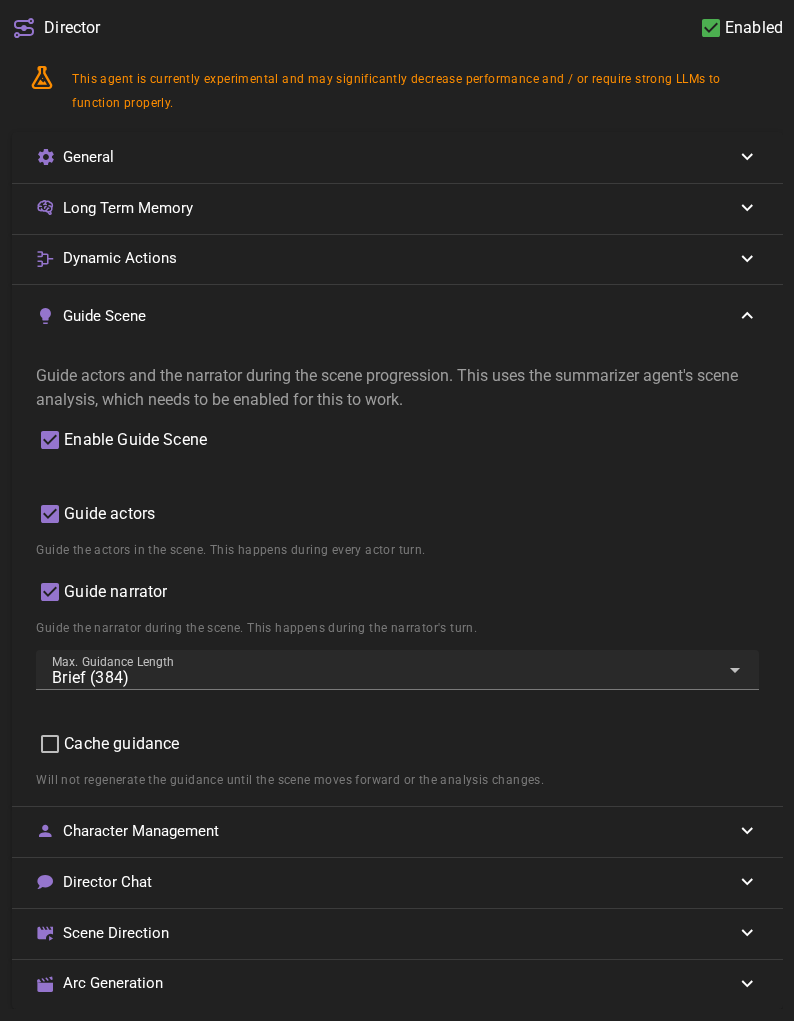
The director can use the summarizer agent's scene analysis to guide characters and the narrator for the next generation, hopefully improving the quality of the generated content.
This may break dumber models
The guidance generated is inserted after the message history and right before the next generation. Some older models may struggle with this and generate incoherent responses.
Guide Actors
If enabled the director will guide the actors in the scene.
Guide Narrator
If enabled the director will guide the narrator in the scene.
Max. Guidance Length
The maximum number of tokens for the guidance. (e.g., how long should the guidance be).
Cache guidance
If enabled the guidance is not regenerated until the scene moves forward or the scene analysis changes.
Scene Direction
Autonomous Scene Direction allows the director to progress scenes automatically using the same actions available in Director Chat.
For detailed information, see the dedicated Autonomous Scene Direction documentation page.
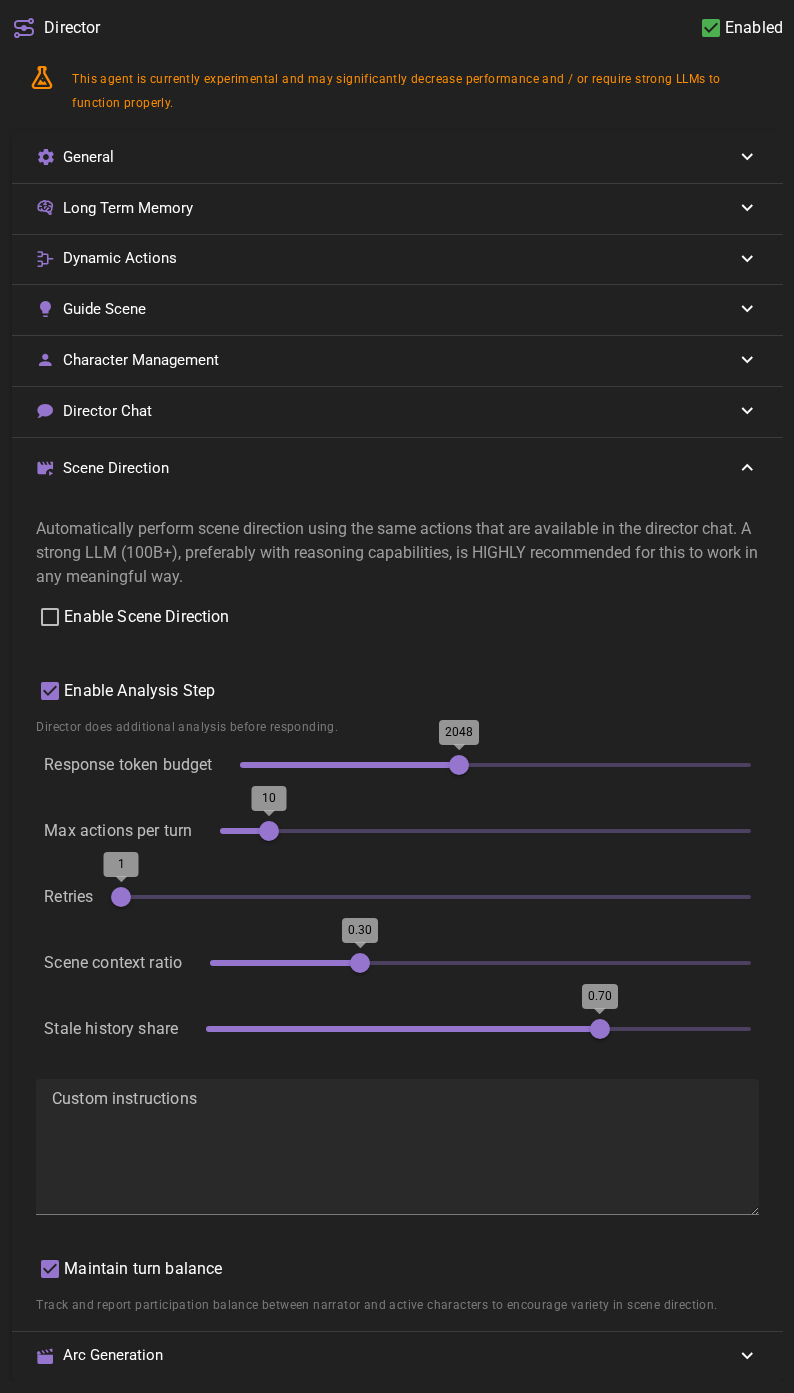
Enable Scene Direction
Toggle to enable or disable autonomous scene direction. This feature is disabled by default.
Strong LLM Required
A strong language model (100B+) with reasoning capabilities is highly recommended. See Reasoning Model Support.
Enable Analysis Step
When enabled, the director performs an internal analysis step before deciding on actions.
Response Token Budget
Maximum tokens for director reasoning and response generation. Default is 2048.
Max Actions Per Turn
Maximum number of actions the director can execute per turn. Default is 10.
Retries
Retry count for malformed responses. Default is 1.
Scene Context Ratio
Balance between scene context and direction history in the token budget. Default is 0.30 (30% scene, 70% history).
Stale History Share
When compacting direction history, this fraction is summarized versus kept verbatim. Default is 0.70.
Maintain Turn Balance
Track character and narrator participation to encourage variety in scene direction.
Custom Instructions
Custom instructions included in all scene direction prompts to guide the director's behavior.
Character Management
The Character Management settings control how the director handles character creation and related tasks.
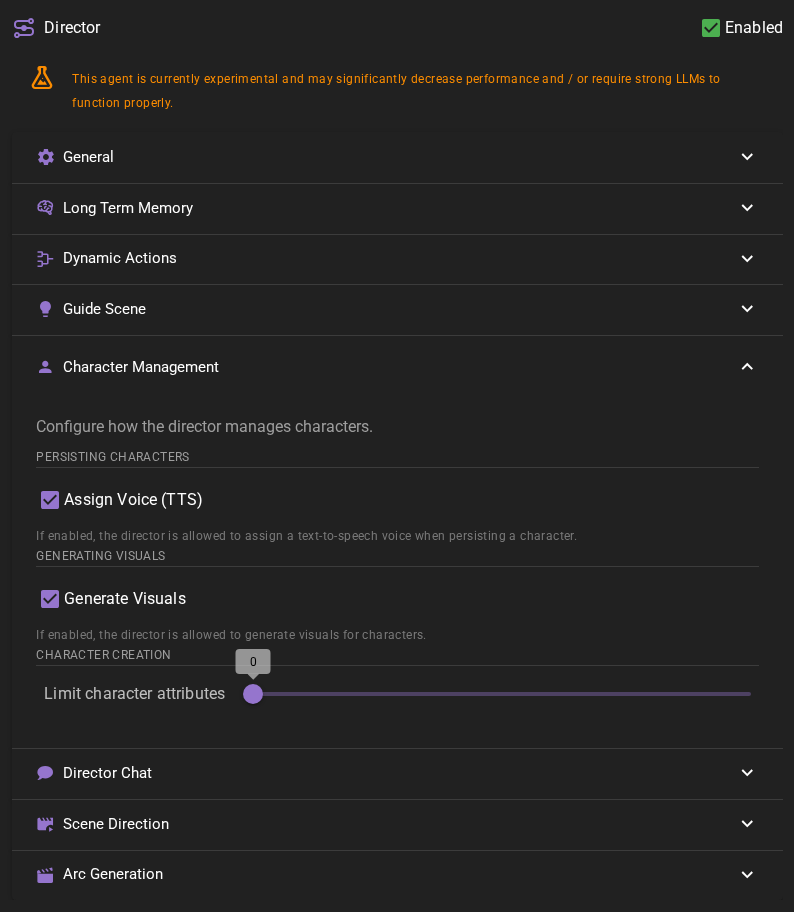
Character Creation
Limit character attributes
Controls the maximum number of attributes that will be generated when creating or updating character sheets. This applies when the director creates new characters, when character sheets are generated through templates, and when a character sheet is generated during character card import.
- 0 (default): No limit - attributes are generated without restriction
- 1-40: Generates at most this many attributes (the character's own name is not counted)
When a limit is set, the AI is instructed to generate no more than the specified number of attributes, and any excess attributes are trimmed during processing.
If the sheet carries the character's own name as a Name attribute, it does not count towards the limit - it is scaffolding rather than a generated trait.
This setting is useful when you want to keep character sheets concise, or when working with characters that might otherwise generate an excessive number of attributes.
Persisting Characters
Assign Voice (TTS)
If enabled, the director will automatically assign a text-to-speech voice when creating a new character. This requires the TTS agent to be enabled and configured with available voices.
Generating Visuals
Generate Visuals
If enabled, the director is allowed to generate visual assets (portraits, cover images) for characters when requested.
The cover image the director generates for a character it persists is an automatic generation: it also needs the Visualizer's Automatic Generation setting.
Director Chat
Experimental
Currently experimental and may change substantially in the future.
The Director Chat feature allows you to interact with the director through a conversational interface where you can ask questions, make changes to your scene, and direct story progression.
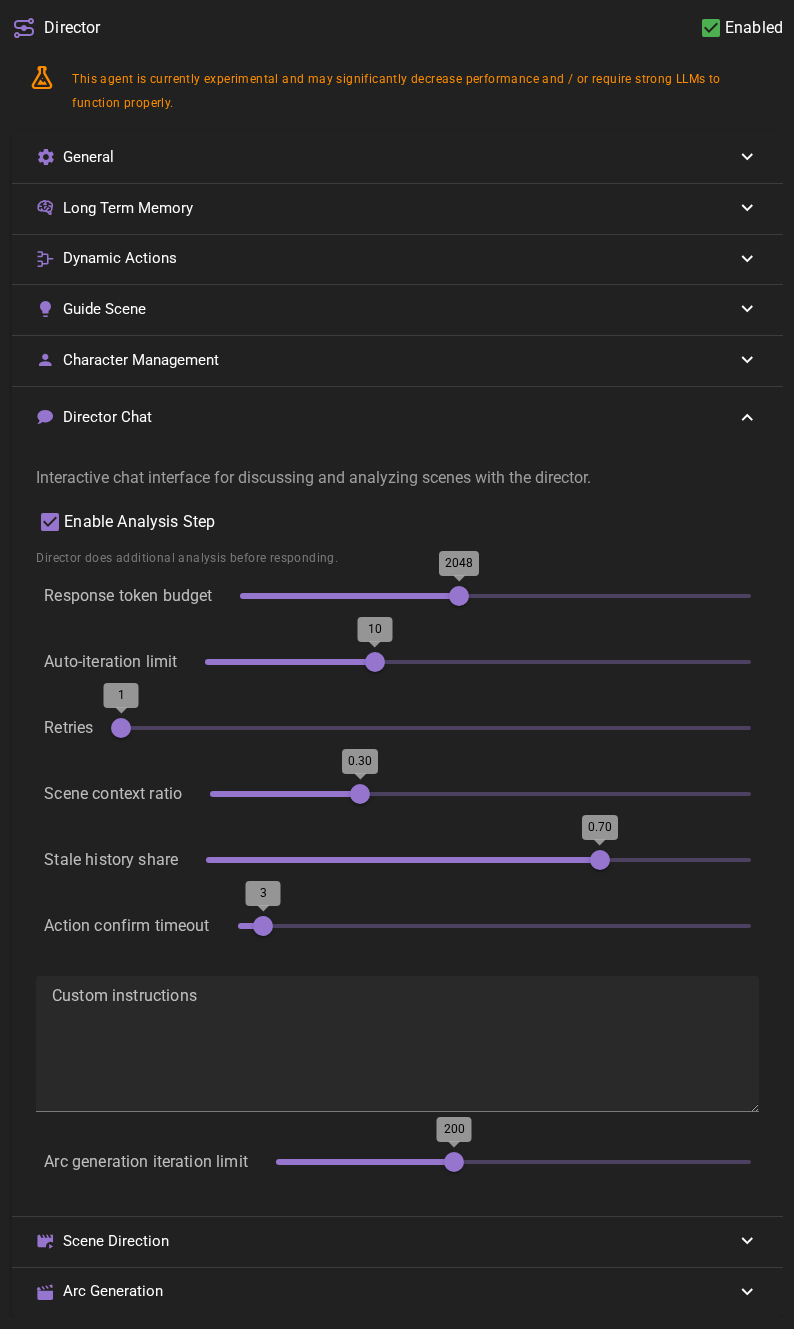
Enable Analysis Step
When enabled, the director performs an internal analysis step before responding. This helps the director think through complex requests and plan actions more carefully.
Recommended for complex tasks
Enable this when working on complex scene modifications or when you want more thoughtful responses. Disable it for simple queries to get faster responses.
Response token budget
Controls the maximum number of tokens the director can use for generating responses. Higher values allow for more detailed responses but use more tokens. Default is 2048.
Auto-iteration limit
The maximum number of action-response cycles the director can perform in a single interaction. For example, if set to 10, the director can execute actions and generate follow-up responses up to 10 times before requiring your input again. Default is 10.
Retries
The number of times the director will retry if it encounters an error during response generation. Default is 1.
Scene context ratio
Controls the fraction of the remaining token budget (after fixed context and instructions) that is reserved for scene context. The rest is allocated to chat history.
- Lower values (e.g., 0.30): 30% for scene context, 70% for chat history
- Higher values (e.g., 0.70): 70% for scene context, 30% for chat history
Default is 0.30.
Stale history share
When the chat history needs to be compacted (summarized), this controls what fraction of the chat history budget is treated as "stale" and should be summarized. The remaining portion is kept verbatim as recent messages.
- Lower values (e.g., 0.50): Summarize less (50%), keep more recent messages verbatim
- Higher values (e.g., 0.90): Summarize more (90%), keep fewer recent messages verbatim
Default is 0.70 (70% will be summarized when compaction is triggered).
Action confirm timeout
New in 0.37.0
How long the chat will wait for you to confirm or reject a write action before it gives up and treats the action as rejected. See Write action confirmation for the confirmation workflow.
- Range: 0 to 60 minutes
- Default: 3 minutes
- 0: Wait indefinitely — the confirmation card stays open until you confirm, choose a rejection method, or cancel the operation
The countdown is shown in the top-right corner of each confirmation card and turns red when less than 30 seconds remain.
Custom instructions
Add custom instructions that will be included in all director chat prompts. Use this to customize the director's behavior for your specific scene or storytelling style.
For example, you might add instructions to maintain a particular tone, follow specific genre conventions, or handle certain types of requests in a particular way.
Arc generation iteration limit
The maximum number of iterations autonomous arc generation is allowed to run for. This needs to be high enough for all beats of the arc to be completed. Default is 200.
Arc Generation
Settings for the arc generation pipeline.
Dialogue beat ratio
The target fraction of beats that should be dialogue during arc generation. 0.4 = 40% dialogue beats.
Expand chunk size
The maximum number of beats per expansion chunk in expand mode. Larger chunks produce more cohesive prose, but use more context.
Outline critique
If enabled a critique pass is run on the generated outline to improve beat quality before expansion.
Expansion critique
If enabled a post-expansion critique pass is run to fix cross-beat redundancy and intensity monotony. This adds roughly 10 seconds per generation.
Character evidence in perception scenes
In opted-in perception scenes, actor guidance and conversation analysis use the character’s stored evidence and last-known context. Cached advice is reused only for the same audience and unchanged evidence. Reader planning remains available, but its advice must not assume that characters know private reader information. Actor prompts use only the character evidence described above. Talemate selects the evidence and checks that it is current; whether the generated advice keeps to it depends on the model. See Author responsibilities for what stays shared with every character. Legacy scenes retain the settings behavior described above.