Character creation
To add a new character to your scene, open the World Editor and navigate to the Characters tab.
Then click on the Create Character button on the left.
A New character entry will appear in the list.
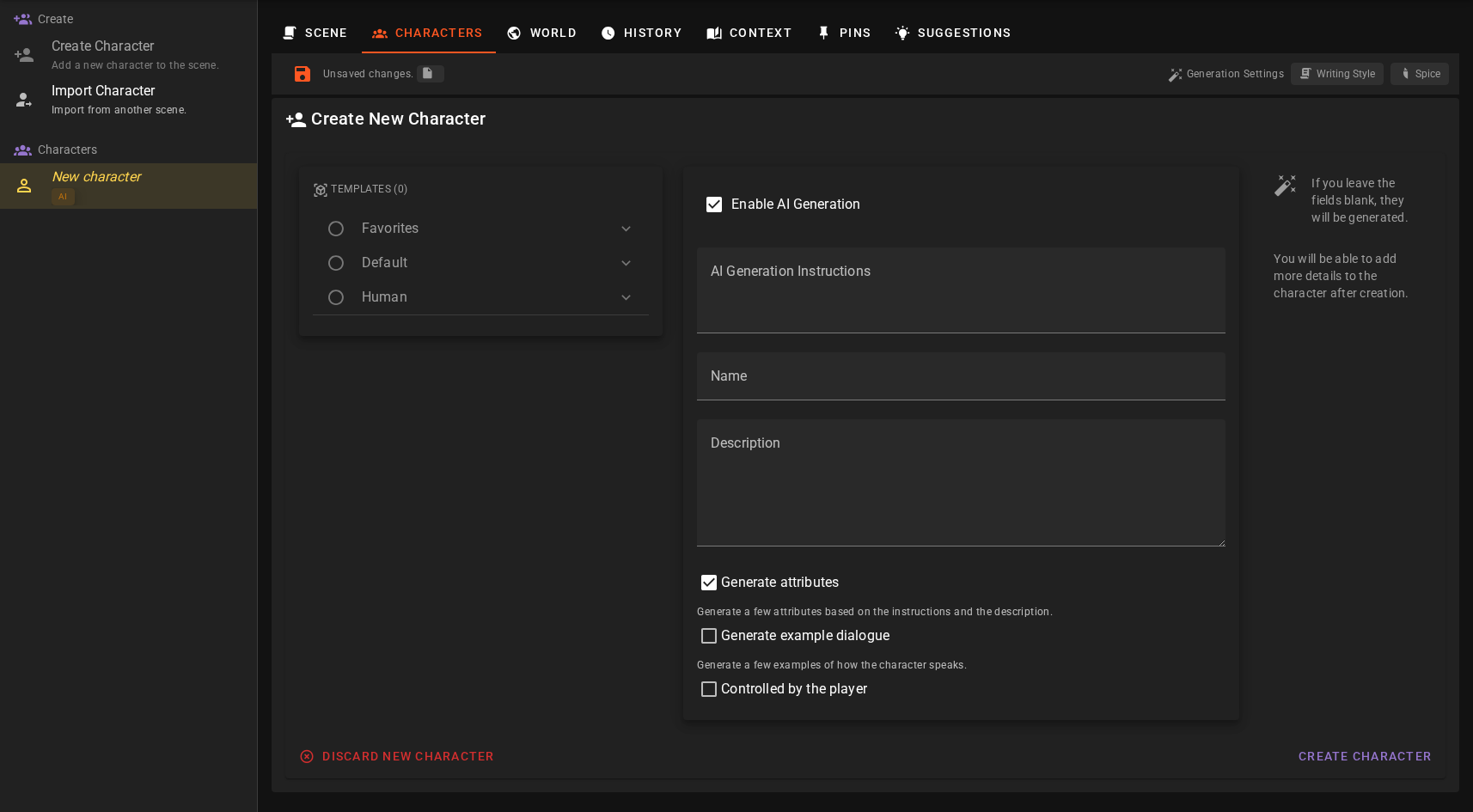
Enable AI Generation
If this is toggled on the character description and some attributes will automatically be generated based on the instructions you provide.
If the name is left blank, it will also be generated based on the instructions.
Fast mode
AI-assisted character creation routes through the Creator agent. Its Character Creation settings offer a Fast Character Generation mode that consolidates the generation into a single prompt instead of one prompt per aspect.
AI Generation Instructions
Here you can provide instructions for the AI to generate the character. This can include the character's appearance, personality, and other details.
Tip
Make sure you include intructions for everything that is important for the character, LLMs are not great at generating something interesting by themselves, they will often go down tropes and cliches. So be specific and detailed, but not long winded.
Name
The character name as it will appear in the scene.
Description
The short to medium length description of the character. This will be generated based on the instructions you provide if left blank.
Generate Attributes
If this is toggled on, the AI will generate some attributes for the character based on the instructions you provide.
Generate Example Dialogue
If this is toggled on (it is off by default), the AI will generate a few example dialogue lines for the character, showcasing how they speak and act.
When enabled, an Example dialogue guidance field appears where you can optionally steer how the examples are written — tone, speech patterns, quirks (e.g. "Speaks in short sentences, dry humor"). Leave it blank to let the AI infer the voice from the character's description and attributes.
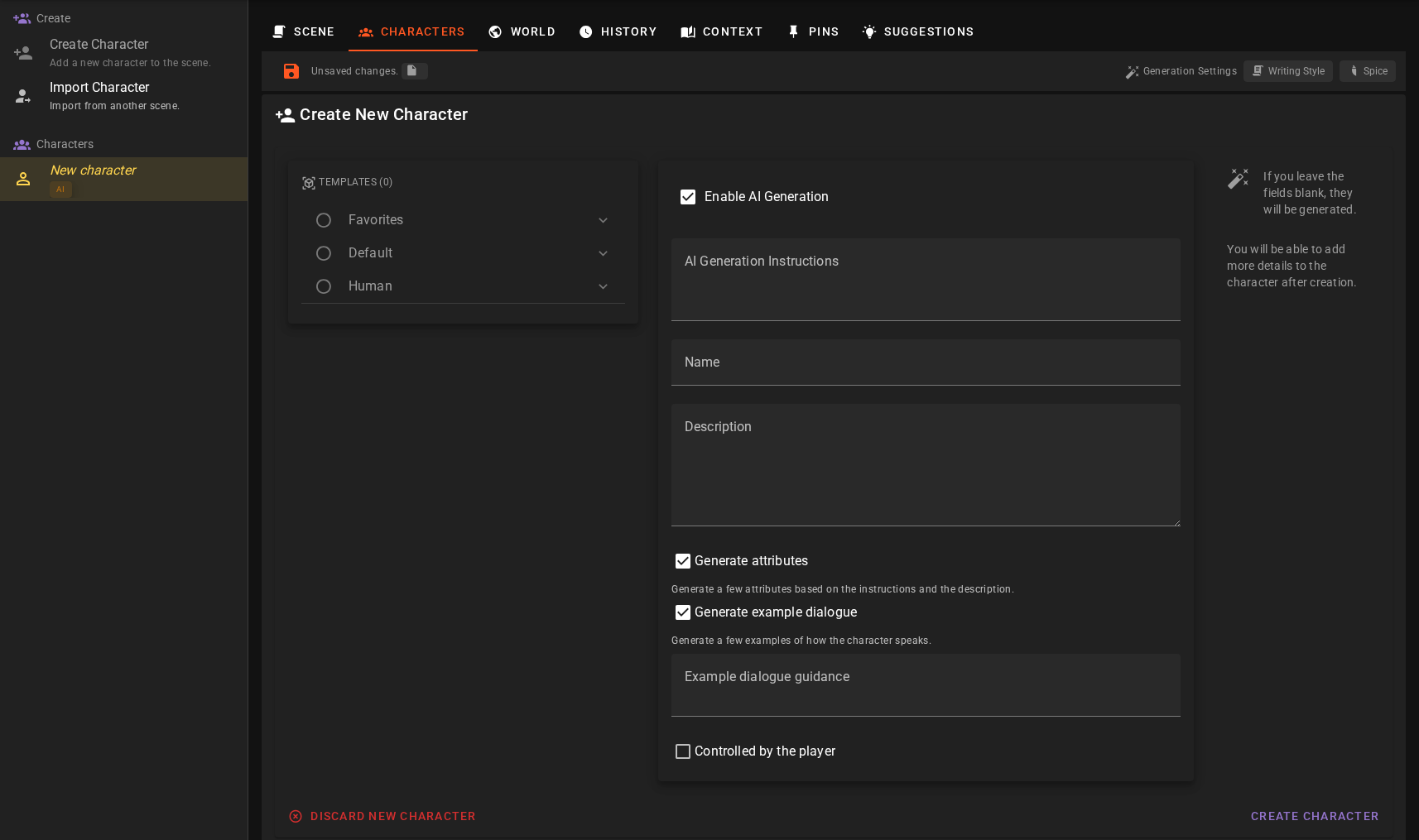
The generated examples can be reviewed and edited after creation under the character's Actor management tab.
Controlled by Player
If this is toggled on, the character will be flagged as the main player character. This is used to determine who the player is controlling in the scene.
Related Resources
- How to: create a player character - learn how to create a player character.
- How to: create an AI controlled character - learn how to create an AI controlled character.