Tracked states
What is a tracked state?
Tracked states occassionally re-inforce the state of the world or a character. This re-inforcement is kept in the context sent to the AI during generation, giving it a better understanding about the current truth of the world.
Some examples could be, tracking a characters physical state, time of day, or the current location of a character.
Setting up a new state
In the World editor, in the left panel, click the New State Reinforcement button.
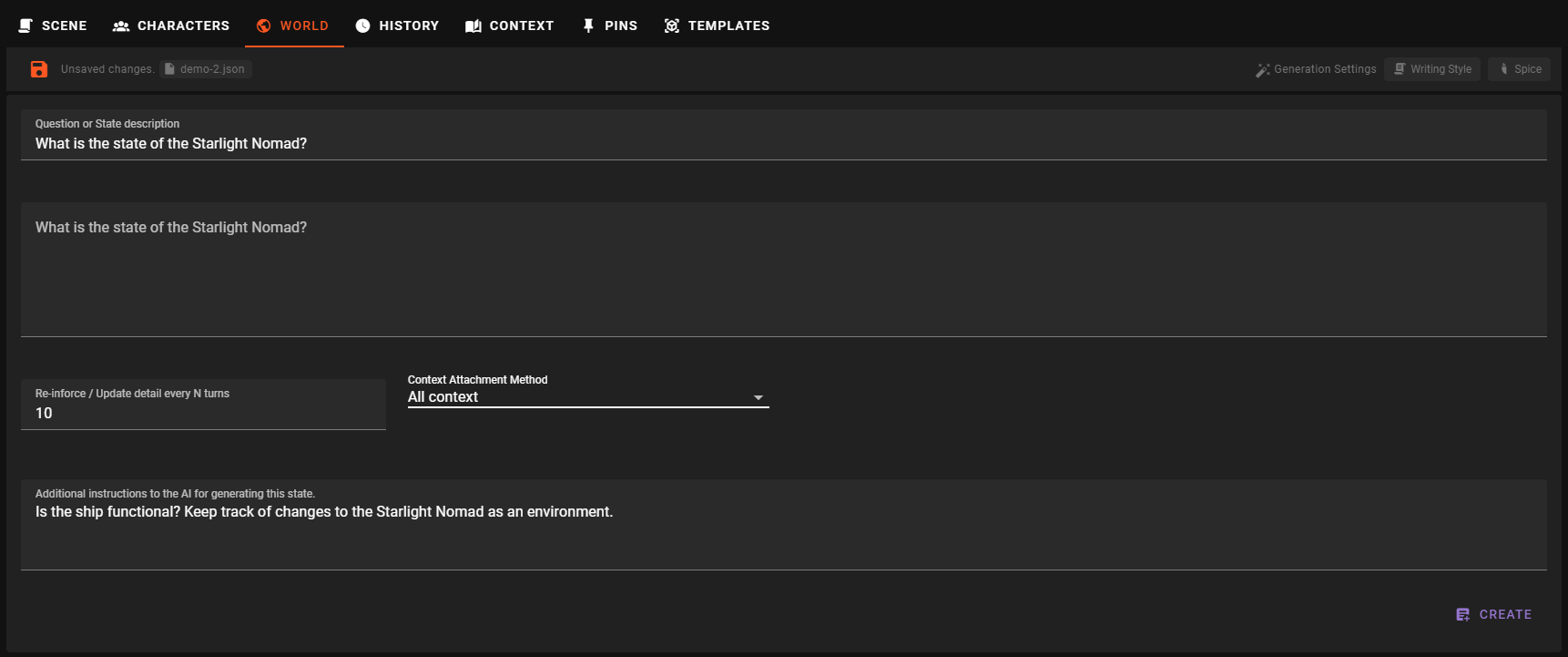
Question or State description
This should be a question or a descriptive name for the state you want to track.
For this example we will use What is the state of the Starlight Nomad? - We want to track the state of the ship.
Info
This should either be a descriptive name like "Ship state" or phrased as a question like "What is the state of the Starlight Nomad?"
In our own testing we found questions generally work better.
Pre-specify the state value (optional)
As you type in the question, the next field's label will automatically sync with the question you are asking. This is the field where the state value will end up. You can pre-specify the value here if you want to.
Re-inforce / Update detail every N turns
This setting lets you control how many game rounds need to pass before this state is re-evaluated.
By default it will be 10 turns, but you can change this to any number you like.
Context Attachment Method
The state's Context Attachment Method determines how the state is attached to the context.
Passive
The state is included in reply context through relevancy, handled by the Memory Agent. For character states only, perception analysis in Character perspectives mode also receives every answered state, including Passive states, with the time since it was last set or confirmed.
Sequential
The state is inserted into the context as part of the scene progression. So when it's re-evaluated, it will be at the bottom of the context.
A new answer replaces the previous answer only when the previous answer is among the last 10 messages. Otherwise the previous answer stays in the scene history, so with the default interval the answers collect in the history as the scene goes on. A change to another method removes every answer of this state from the scene history.
This is the default for character states.
Each answer shows in the scene as a compact State Update row that names the character (or World) and the question, for example State Update · Mara — What is Mara's current mood?. Click the row to read the answer, and click it again to fold it away. A long answer shows its first lines with Show more.

- Edit: hover the unfolded row to see Double-click to edit., then double-click the answer, change it and press Enter (Shift+Enter starts a new line, Esc cancels). Later generations use your text. Editing the newest row of a state also makes it the state's current answer, the one you see in the World Editor; editing an older row changes only that row. When later messages follow the row, a note warns that they may no longer match it.
- Remove: hover the row and click . This removes that answer from the scene history; the state stays tracked.
- Hide: switch off Show for State Reinforcements in Settings → Appearance → Messages. Hidden rows still reach the AI.
Conversation Context
The state is ALWAYS inserted as an important part of the context during the character's dialogue generation. This is useful for states that are important for the AI to know about during conversation.
All Context
The state is always included in the context, no matter what. This is useful for states that are important for the AI to know about at all times.
For this example, we always want to know the state of the ship, so we will set it to All context.
Additional Instructions
Allows you to specify extra instructions to give to the AI for the generation of this state.
For our example, we want to know the state of the ship, so we could add:
Is the ship functional? Keep track of changes to the Starlight Nomad as an environment.
Create the state
Click Create to create the new state. Until then the state is a draft: changing its fields saves nothing, and selecting another entry or state discards it.
This will create the state, but also immediately generate its current value.
This may take a moment, once it's done you will see the new state in the list of states and the current value in the world state.
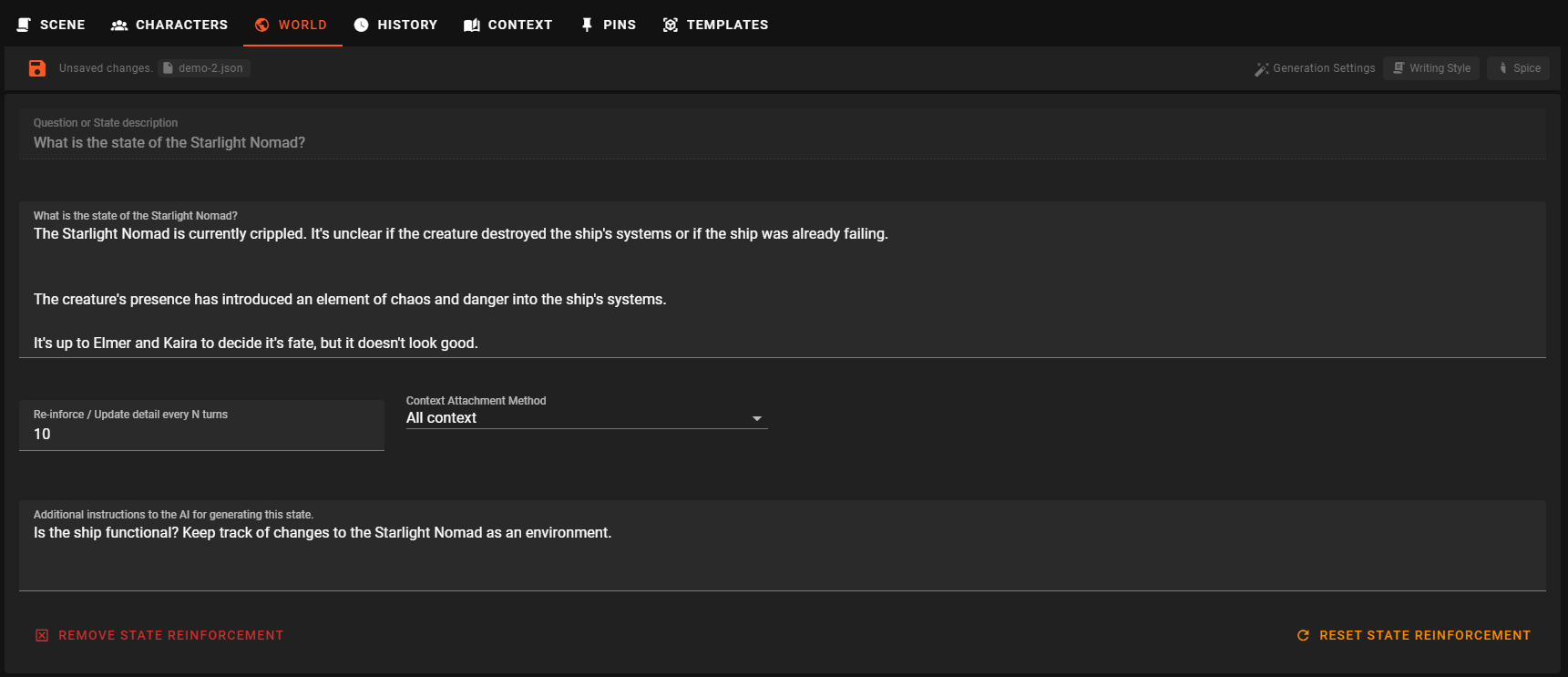
Tracked world states consist of the state and the world info
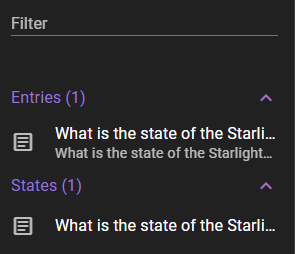
It has generated both a state entry (controlling how the state is tracked) and a world info entry holding the current value of the state.
Managing the state
Reset State Reinforcement
Will remove all previous generation data and start fresh, generating a new value for the state.
Sometimes states get messy
Since the pervious value of the state is used - in combination with the scene progression since - to generate the new value, sometimes it can get a bit messy. It only takes one bad generation from the AI to start spiraling out of control. When you notice that the state has a nonsensical value, it's best to reset it.