Anthropic Client
If you want to add an Anthropic client, go to Settings → Connections → Clients, click Add client and pick Anthropic from the client type menu.
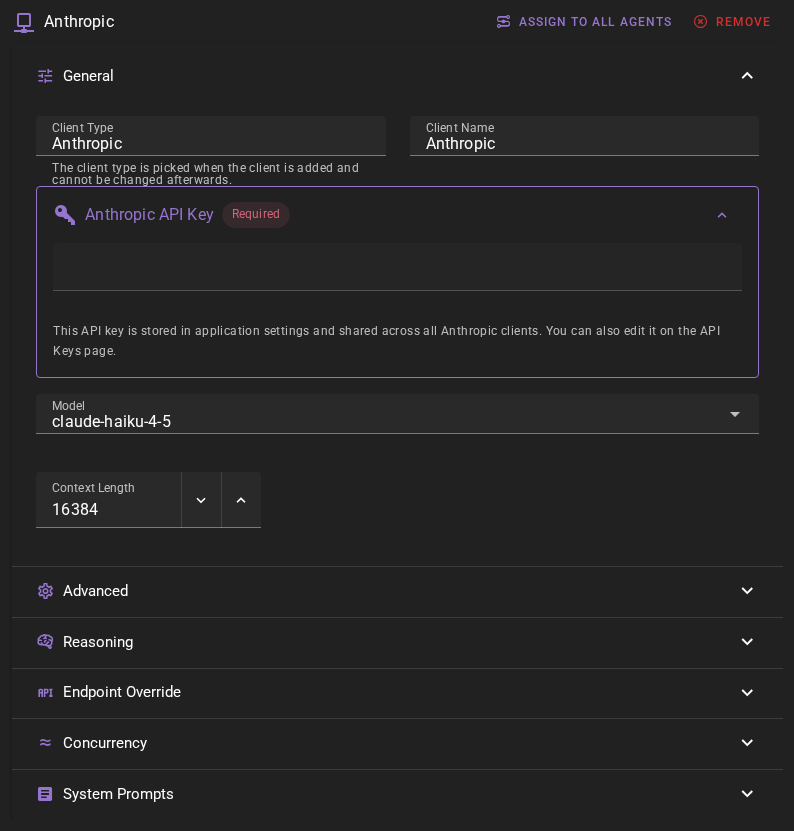
Click Save in the toolbar to add the client.
Anthropic API Key
The client should appear in the clients list. If you haven't setup Anthropic before, you will see a warning that the API key is missing.
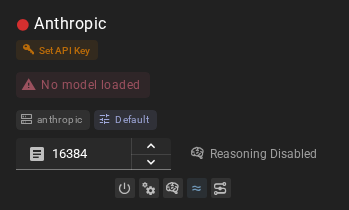
Click the SET API KEY button. This will open the application settings on the API Keys page where you can add your Anthropic API key.
For additional instructions on obtaining and setting your Anthropic API key, see Anthropic API instructions.

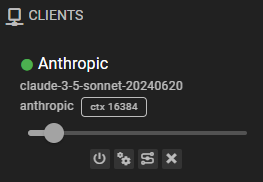
Click Save and after a moment the client should have a green dot next to it, indicating that it is ready to go.
Ready to use
Settings
Client Name
A unique name for the client that makes sense to you.
Model
Which model to use. Currently defaults to claude-haiku-4-5.
Talemate lags behind Anthropic
When Anthropic adds a new model, it may take a Talemate update to add it to the list of available models. However, you can always manually enter any model name in the model field if you know the exact model identifier.
Models that do not accept a pre-filled response
Talemate sometimes steers a reply by writing the first words of the response for the model. Claude Opus 4.6, 4.7 and 4.8, Sonnet 4.6, and the Claude 5 models (Haiku, Sonnet, Opus and Fable) refuse that and answer with HTTP 400. For these models Talemate asks for the same opening in the prompt instead ("Start your response with: …"), so nothing is lost and no setup is needed.
Models that always think
Claude Opus 5.5 and Fable 5 cannot run without thinking. For them the Reasoning setting stays on whatever you choose, and thinking uses adaptive mode with your Effort Level. With the default Response Length Enforcement (Adaptive), the response length is requested in the prompt instead of being capped, so thinking cannot use up the cap. With a mode that caps tokens, the cap includes the thinking and can cut the answer short.
Context Length
Maximum context length (in tokens) for generations sent to Anthropic. If you are not sure, leave the default value.
Concurrent Inference
Found in the Concurrency section of the client editor. When enabled, batch operations that need several queries can send multiple requests to the Anthropic API in parallel instead of one at a time, which can speed those operations up.
This is on by default. See the Concurrent Requests page for more detail.
Response Length Enforcement
Controls whether token limits and/or human-readable response length instructions are sent with prompts. Defaults to Limit tokens and send instructions.
See Response Length Enforcement for details.