Chatterbox
Local zero shot voice cloning from .wav files.
Chatterbox Turbo
Chatterbox Turbo (Local) is a separate, opt-in API in the Voice agent settings.
Enable it and save, then select a chatterbox_turbo voice in the Voice Library.
Standard Chatterbox keeps its existing settings and voices. The seven bundled
references are also available as independent Turbo voices; uploaded Turbo voices
are stored separately.
Turbo generates English speech. Its reference WAV must be longer than five seconds and should contain clear speech from one speaker. Use a clean 6–15 second recording. The voice test reports unreadable or too-short references before loading the model.
Turbo voice parameters are:
| Parameter | Default | Effect |
|---|---|---|
| Temperature | 0.8 | Sampling randomness. |
| Top K | 1000 | Limits candidate speech tokens; 0 disables this filter. |
| Top P | 0.95 | Nucleus sampling probability. |
| Repetition penalty | 1.2 | Discourages repeated speech tokens. |
| Normalize reference loudness | On | Normalizes the reference before voice conditioning. |
CFG/Pace, exaggeration and min-p do not affect Turbo. They are not shown for Turbo voices, and stale copies in saved voice parameters are ignored during Turbo generation. Per-voice model overrides are unavailable; choose the provider to select standard or Turbo.
Audio tags
Turbo supports two kinds of native tags:
- Sound tags add a sound:
[clear throat],[sigh],[shush],[cough],[groan],[sniff],[gasp],[chuckle]and[laugh]. - Style tags change how a sentence is delivered:
[angry],[fear],[surprised],[whispering],[crying],[happy],[sarcastic],[dramatic],[narration]and[advertisement].
Where you put a tag matters. Resemble does not document placement rules; this is
what we observed with Turbo: a style tag works at the start of the sentence it
colours, and at the end of a sentence it has no effect. A sound tag goes where
the sound happens. For example:
[happy] That was a surprise! [laugh] Let's try again.
These tags can be tested directly in the Voice Library without an LLM request.
Native tag spans, including [clear throat], remain intact across scene text
chunks. For scene text, bracket visibility settings still apply before voice
generation.
The existing Audio tags setting optionally asks the Summarizer to insert tags. It remains off by default. For Turbo, that request is limited to the tags above, with the same placement rules, and unsupported newly inserted tags are removed. Standard Chatterbox does not opt into automatic tags. Enabling Turbo alone makes no LLM requests.
Downloads and switching
The first Turbo generation downloads its own model and tokenizer assets, about 4 GB with the current upstream loader. This is separate from standard Chatterbox. Keep enough disk space for both if you use both providers.
Standard and Turbo share one loaded model slot. Switching provider or device releases the old model and loads the selected one; alternating them between characters therefore adds load latency. References and normalization are applied afresh for each chunk, so changing voices or replacing a reference file cannot reuse an earlier voice's conditioning. Cancelling playback lets already-running local synthesis finish before another Chatterbox request starts. Canceled requests that are still waiting for the model slot are skipped before loading or synthesis.
Both providers return a complete waveform for each text chunk. Turbo does not stream partially generated audio. Speed and memory use depend on the device, text, reference and settings; the Turbo name is not a promised speed multiplier.
Standard Chatterbox settings
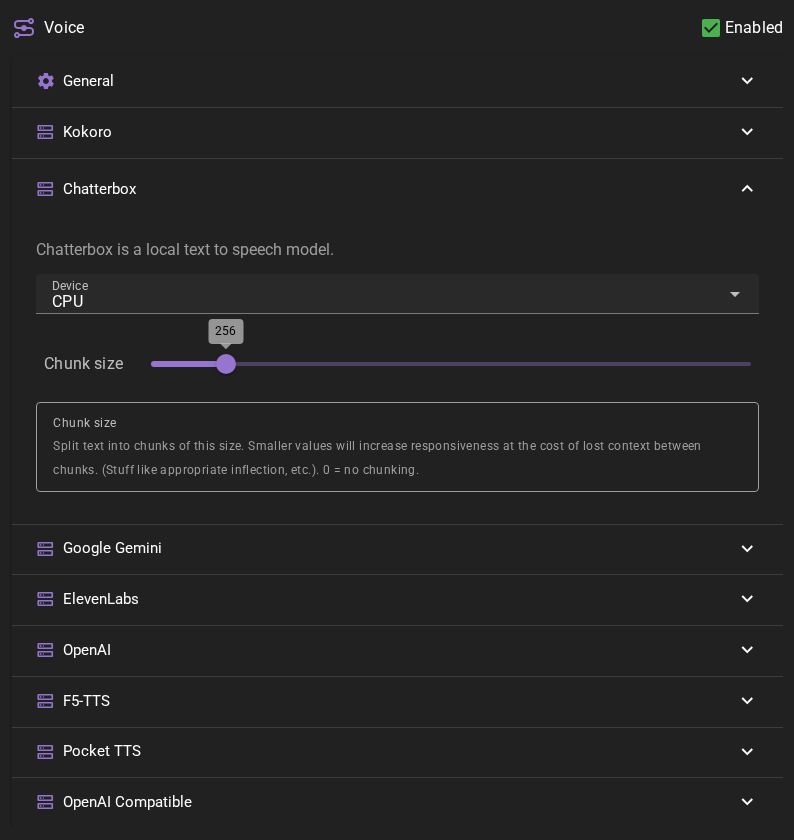
Device
Auto-detects best available option
Chunk size
Split text into chunks of this size. Smaller values will increase responsiveness at the cost of lost context between chunks. (Stuff like appropriate inflection, etc.). 0 = no chunking
Adding Chatterbox Voices
Voice Requirements
Chatterbox voices require:
- Reference audio file (.wav format, 5-15 seconds optimal)
- Clear speech with minimal background noise
- Single speaker throughout the sample
Creating a Voice
- Open the Voice Library
- Click New
- Select "Chatterbox" as the provider
- Configure the voice:
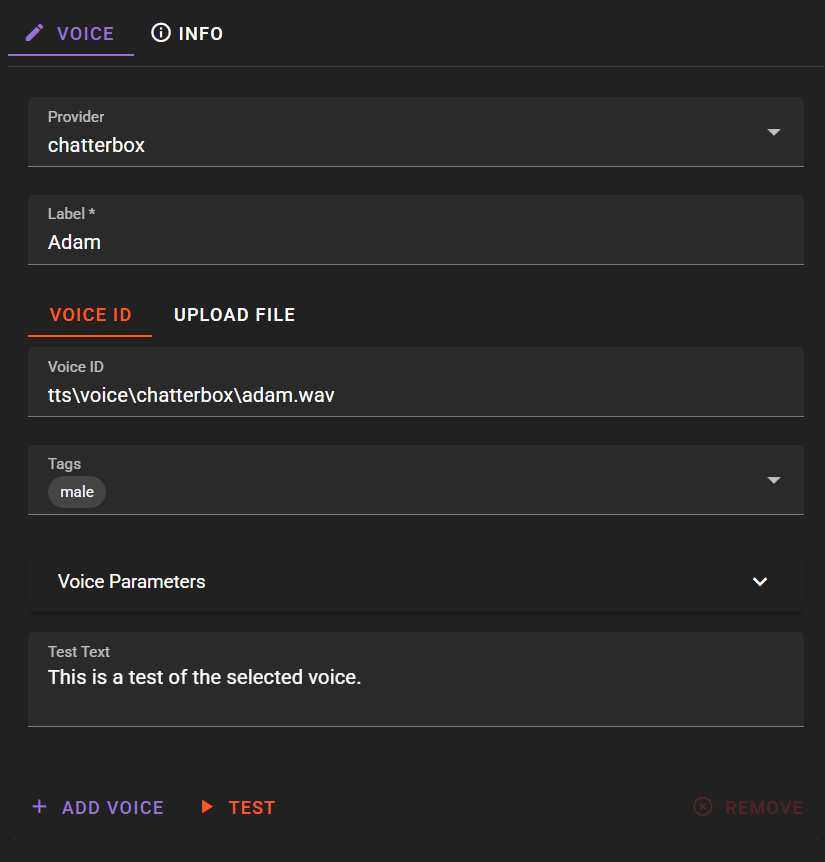
Label: Descriptive name (e.g., "Marcus - Deep Male")
Voice ID / Upload File Upload a .wav file containing the voice sample. The uploaded reference audio will also be the voice ID.
Speed: Adjust playback speed (0.5 to 2.0, default 1.0)
Tags: Add descriptive tags for organization
Extra voice parameters
There exist some optional parameters that can be set here on a per voice level.
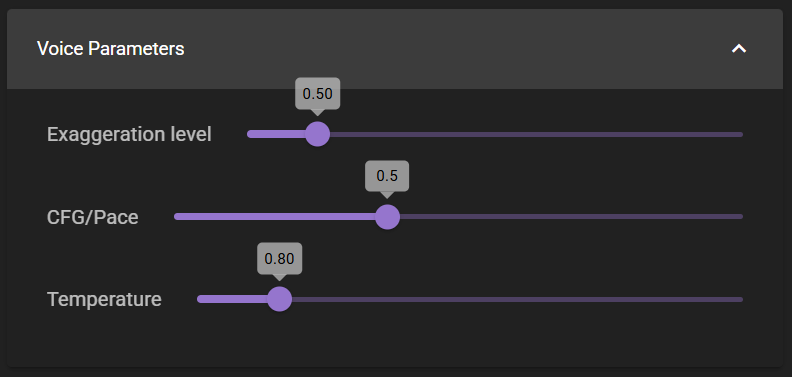
Exaggeration Level
Exaggeration (Neutral = 0.5, extreme values can be unstable). Higher exaggeration tends to speed up speech; reducing cfg helps compensate with slower, more deliberate pacing.
CFG / Pace
If the reference speaker has a fast speaking style, lowering cfg to around 0.3 can improve pacing.