Export
This tab allows you to export the scene.
Exported scenes can be loaded into Talemate from the Home screen.
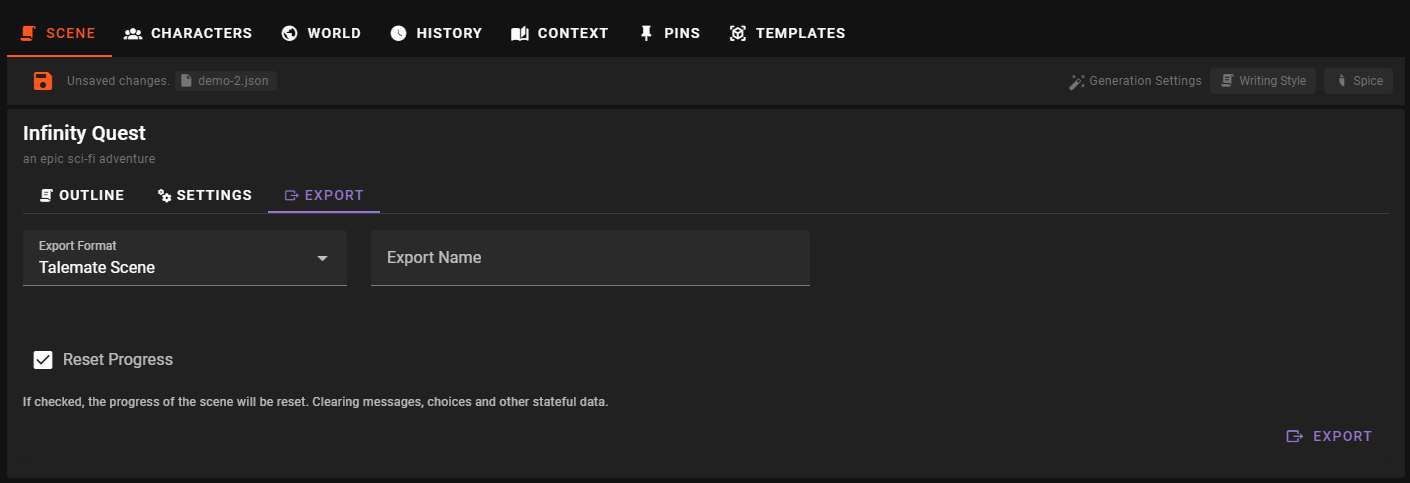
Export format
Two formats are available:
Talemate Scene (JSON only)- just the scene file itself.Complete Scene Package (ZIP)- the scene file plus its assets, nodes, info, templates and per-scene agent settings.
Export name
The file name (Without extension) that the exported scene will be saved as.
Reset progress
If checked, the exported scene will have its progress reset - clearing messages, choices and other stateful data. Your current session is not affected.
Saved revisions
A complete ZIP export with Reset Progress off includes the selected save's revisions and its inherited ancestry. Importing the ZIP restores those revisions under the new save name. Other saves in the project are not included.
With Reset Progress on, the archive omits earlier revisions so the original story cannot be recovered from them. JSON-only exports carry the scene itself without its saved revisions.