Settings
General
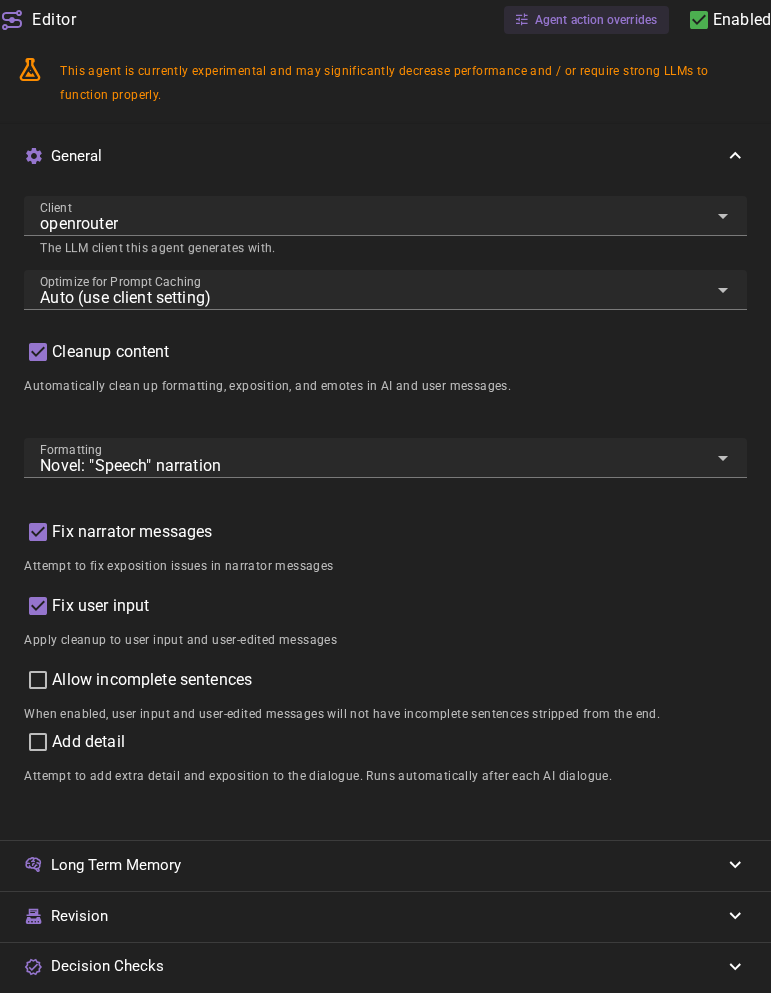
Client
The text-generation client to use for editor generations.
Optimize for Prompt Caching
Places volatile context (long term memory, dynamic notes) after the scene history so that the stable part of the prompt can be cached by API backends. May confuse weaker models. Auto defers to the client setting.
Cleanup content
If enabled the editor will automatically clean up formatting, exposition and emotes in AI and user messages.
It will do this based on the selected format.
Fix narrator messages
Applies the same rules as above to the narrator messages.
Fix user input
Applies the same rules as above to the user input messages.
Allow incomplete sentences
If enabled, user input and user-edited messages will not have incomplete sentences stripped from the end.
Add detail
Will take the generate message and attempt to add more detail to it.
Long Term Memory
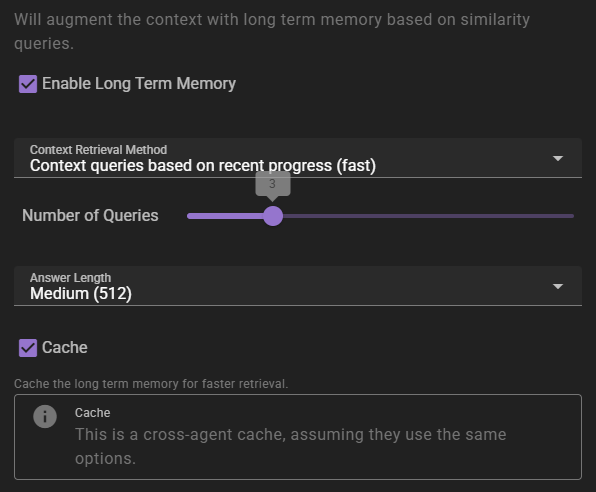
If enabled will inject relevant information into the context using relevancy through the Memory Agent.
Context Retrieval Method
What method to use for long term memory selection
Context queries based on recent context- will take the last 3 messages in the scene and select relevant context from them. This is the fastest method, but may not always be the most relevant.Context queries generated by AI- will generate a set of context queries based on the current scene and select relevant context from them. This is slower, but may be more relevant.AI compiled questions and answers- will use the AI to generate a set of questions and answers based on the current scene and select relevant context from them. This is the slowest, and not necessarily better than the other methods.
Number of queries
Only shown for the two AI-assisted retrieval methods. It means different things depending on the method.
- For
Context queries generated by AIthis is the number of queries to generate. - For
AI compiled questions and answersthis is the number of questions to generate.
The default is 5. None (Semantic similarity only) does not use it.
Answer length
The maximum response length of the generated answers.
Cache
Enables the agent-wide cache of long term memory retrieval. Agents that share the same long term memory settings share the cache. AI-assisted retrieval publishes a cached result; character-scoped retrieval in Character perspectives mode can also cache semantic-only results. Standard semantic-only retrieval remains uncached.
Regenerating a reply reuses a published result only when the story before that reply, the memory sources available to the retrieval, and its settings are unchanged. New or edited world entries, character details and archives refresh affected cached results, as do relevant knowledge visibility and memory-collection changes. When retrieval is limited to character knowledge, access rules tied to the reply being regenerated do not count as earlier sources. Without that limit, access rules do not affect retrieval. Changes to older retained access rules still refresh affected results. A retrieval already in progress can finish with its earlier context. A result built before one of those inputs changed is not reused after the change.
Revision
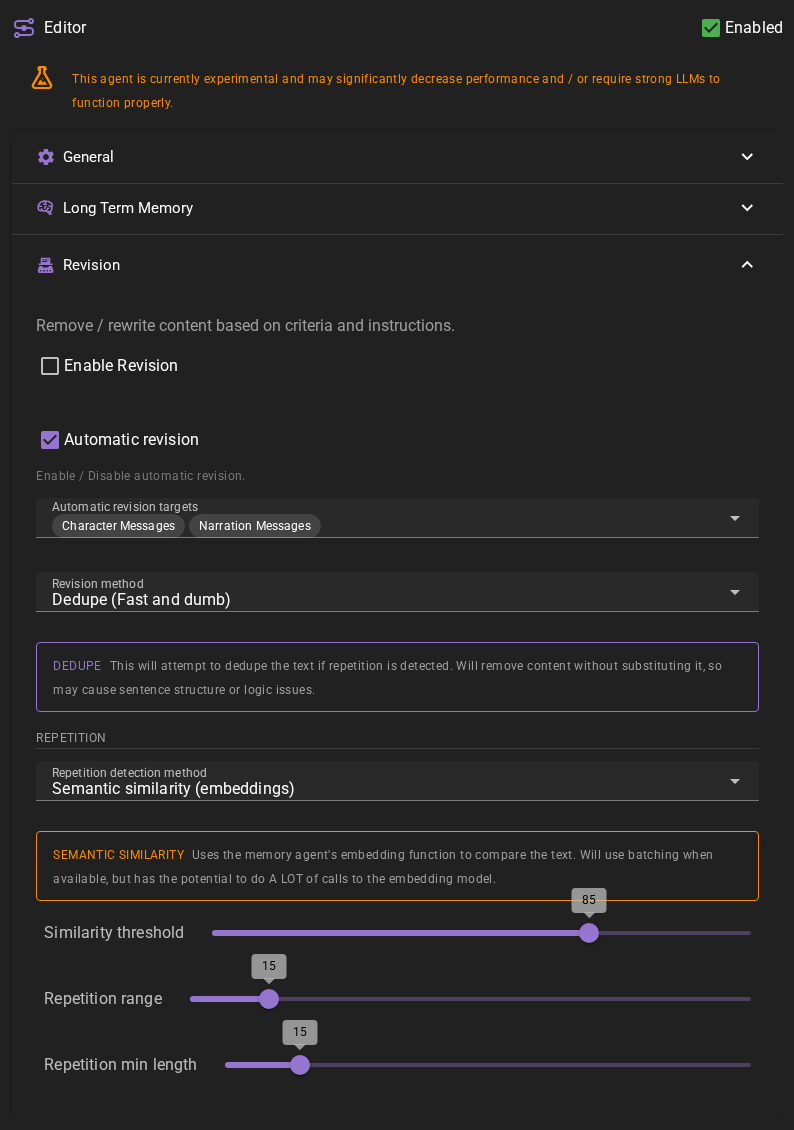
When revision is enabled the editor will analyze and attempt to fix character messages, narrator messages, and contextual generation (such as character attributes, details, world context, etc.).
Currently it can detect the following issues:
- Repetition of phrases / concepts
- Unwanted prose as defined in the writing style
The revision action is split into three parts:
- Find any issues through fuzzy, regex and semantic similarity (embeddings) matching
- Analyze the issues and plan a fix
- Apply the fix
This means it comes at a noticable delay IF it finds issues, but the improvements may be worth it.
Enable Revision
Check this to enable revision. On by default, which makes the Revise chip available on the latest message. Nothing is revised until you use the chip or switch on automatic revision.
Automatic Revision
Check this to enable automatic revision - this will analyze each incoming actor or narrator message and attempt to fix it if there are issues. Off by default, so a normal message sends no revision request.
Automatic Revision Targets
When automatic revision is enabled, you can choose which types of messages to automatically revise:
- Character Messages - Automatically revise actor actions and dialogue
- Narration Messages - Automatically revise narrator actions and descriptions
- Context Investigations - Automatically revise context-investigation messages (the results of Look at, Investigate, and Query actions). Off by default.
- Contextual generation - Automatically revise generated context such as character attributes, details, world context, scene intros, etc.
- Summarization - Automatically revise dialogue summaries.
By default, both Character Messages and Narration Messages are enabled. You can enable or disable each type independently based on your preferences.
Context investigations always feed the repetition check
Whether or not Context Investigations is enabled as an automatic target, context-investigation messages are always included in the text the editor compares against when looking for repetition. This means nearby character and narrator messages will avoid repeating phrases that already appeared in a recent Look at, Investigate, or Query result.
Revision Method
Which method to use to fix issues.
Dedupe (Fast and dumb)- this is the defaultUnslop (AI assisted)- calls 1 additional prompt after generation to remove repetition, purple prose, unnatural dialogue, and over-descriptionTargeted Rewrite (AI assisted)- analyzes text for specific issues and rewrites only problematic parts
Dedupe (Fast and dumb)
When Dedupe is active it will be restricted to finding repetition and removing it without replacing it with something else, nor understanding the intent or context, so it may sometimes cause disjointed dialogue. This method is much faster as it will never prompt the AI for analysis and fixes. (If repetition detection is set to semantic similarity, it will still use the embedding function to find repetition, but it will not prompt the AI for analysis and fixes.)
Unslop (AI assisted)
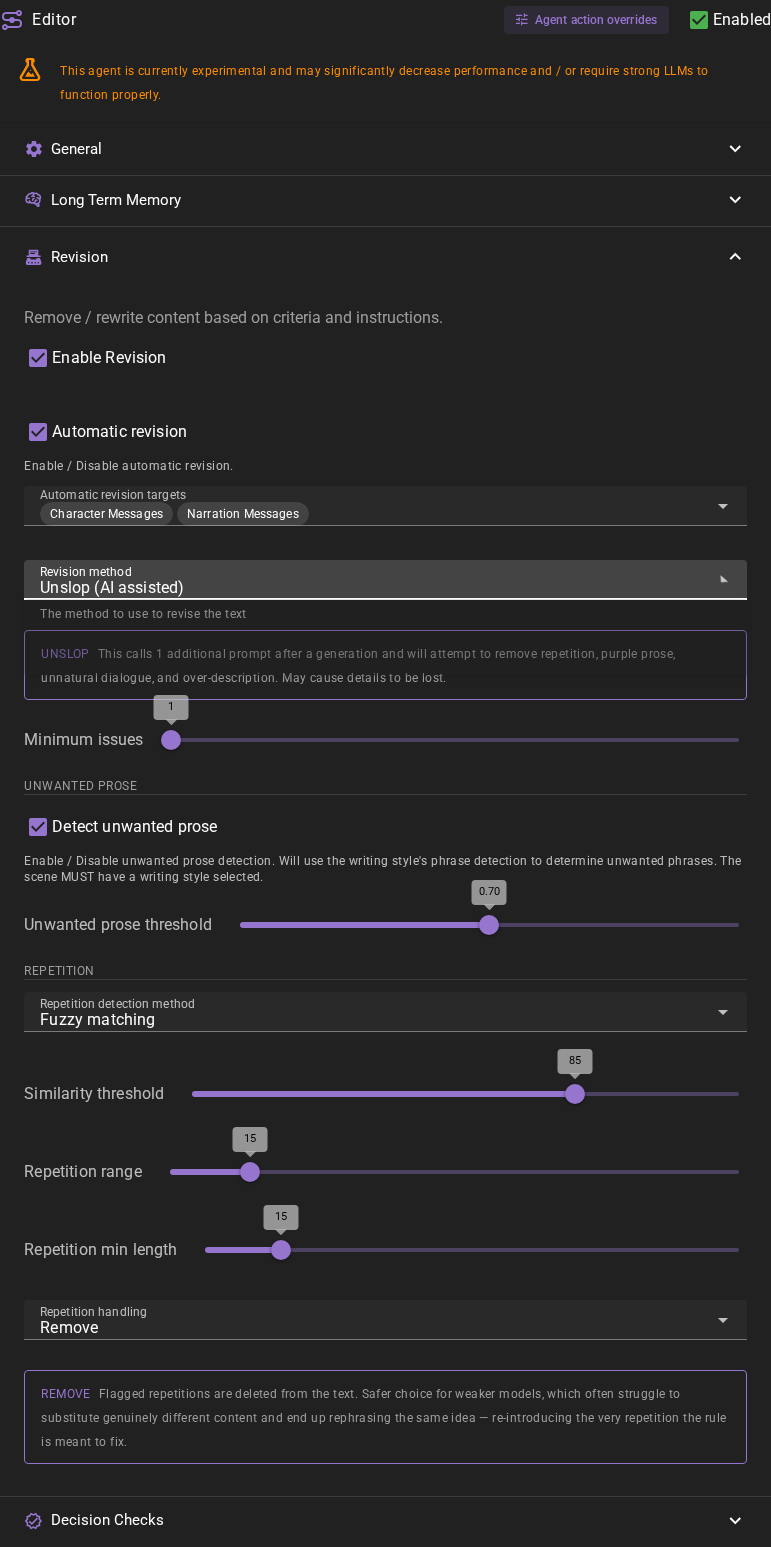
Example configuration using Unslop with Decision Checks enabled and Fuzzy matching selected. Decision Checks defaults to off, and repetition detection defaults to Semantic similarity.
When Unslop is active, it calls 1 additional prompt after a generation and will attempt to remove repetition, purple prose, unnatural dialogue, and over-description. May cause details to be lost. This is a general-purpose cleanup method that can also use unwanted prose detection when enabled.
Targeted Rewrite (AI assisted)
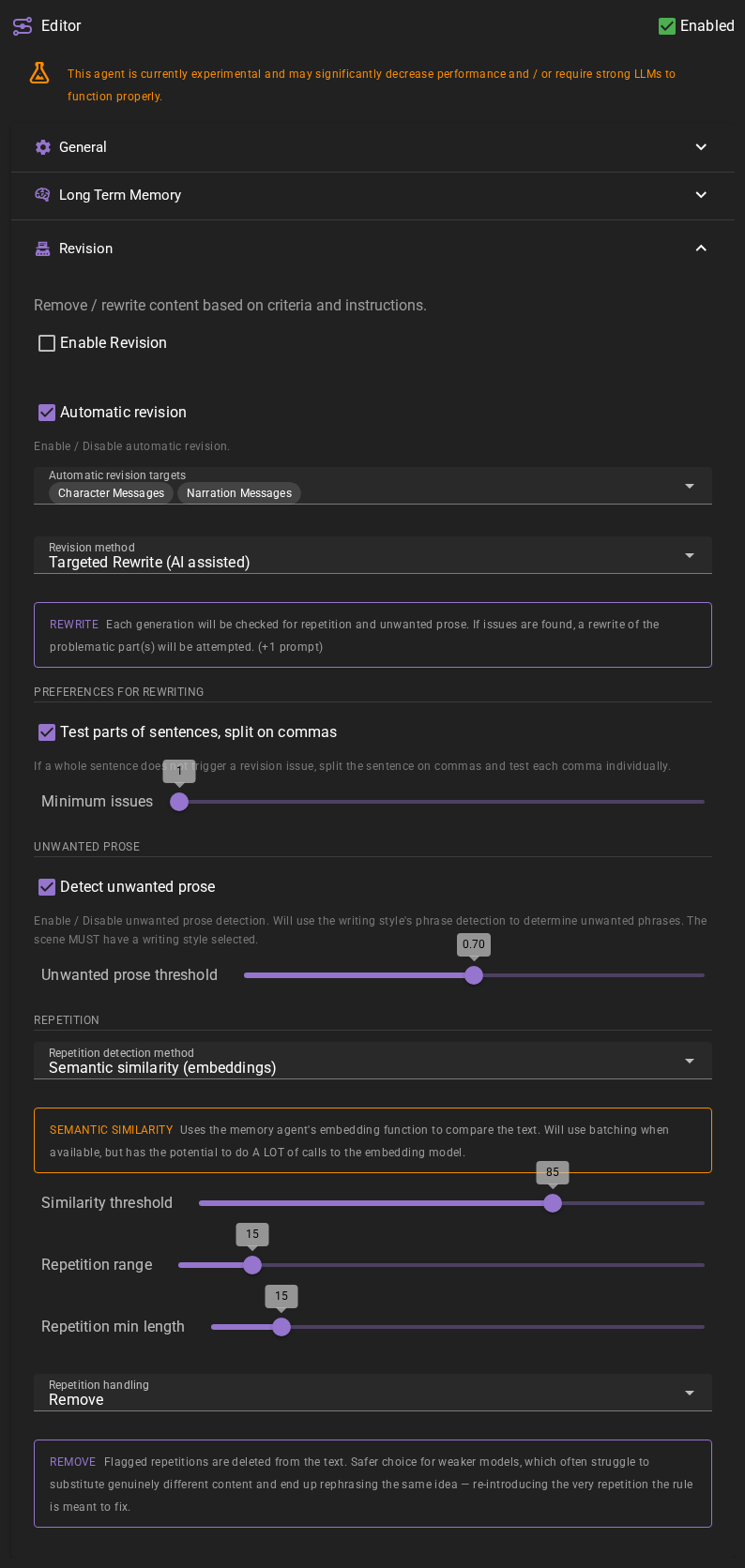
When Targeted Rewrite is active, unwanted prose detection becomes available and when issues are detected the AI will attempt to rewrite the message to fix the issues. This method checks for specific problems first, then only rewrites if enough issues are found.
Repetition
Repetition Detection Method
How is repetition detected.
Fuzzy- fuzzy matching will match based on character-level similarity, finding text that is approximately the same with small differences (like typos, missing letters, or minor variations). This is faster but less context-aware than semantic matching.Semantic Similarity- will match based on the semantic meaning of the text using the Memory Agent's embedding function. (default)
Semantic Similarity
Uses the memory agent's embedding function to compare the text. Will use batching when available, but has the potential to do A LOT of calls to the embedding model.
Similarity Threshold
How similar does the text need to be to be considered repetitive. (50 - 100%)
You want to keep this relatively high.
Repetition Range
This is the number of MESSAGES to consider in the history when checking for repetition.
At its default of 15 it means the last 15 messages will be considered.
Decision Checks uses this same setting for its preceding story context. The current
message is excluded; narration, character and context-investigation messages count.
Repetition Min. Length
The minimum length of a phrase (in characters) to be considered for repetition. Shorter phrases will be ignored.
AI-Assisted Methods (Unslop & Targeted Rewrite)
Once switched to either Unslop or Targeted Rewrite mode, additional settings become available.
Repetition handling
Controls what the AI-assisted revision does when it detects repetition. (Available for both Unslop and Targeted Rewrite.)
- Remove (default) - flagged repetitions are deleted from the text. This is the safer choice for weaker models, which often struggle to substitute genuinely different content and end up rephrasing the same idea, re-introducing the very repetition the rule is meant to fix.
- Attempt rewrite - the editor asks the model to replace flagged repetitions with genuinely different content rather than deleting them. Because matches are based on meaning (not just wording), simply rephrasing the same idea is not enough - the underlying beat has to change. When the model cannot produce a meaningful rewrite, it falls back to removing the repetition. This works best with stronger models.
With Decision Checks, these choices apply to repeated beats. A reused description of a new event instead receives fresh wording while preserving the event, even when repetition handling is Remove.
Preferences for Rewriting (Targeted Rewrite only)
Test parts of sentences, split on commas
If active this means that when a sentence doesn't produce a hit, if it has one or more commas it will split the sentence on the commas and test each part individually.
Minimum issues
The minimum amount of issues that need to be detected to trigger a rewrite.
With Decision Checks enabled, this counts distinct flagged passages and also applies to Unslop. A passage flagged for a repeated beat, reused description and/or style counts once. Without Decision Checks, this setting has no effect on Unslop.
Unwanted Prose (Both Unslop & Targeted Rewrite)
Detect Unwanted Prose
Check this to enable unwanted prose detection. Available for both Unslop and Targeted Rewrite methods.
Unwanted Prose Requirement
Unwanted phrases are defined in the writing style that is currently selected in the Scene Settings.
See Writing Style Templates for more information on how to create a writing style and add unwanted phrases.
Unwanted Prose Threshold
Similarity threshold for unwanted prose detection. (0.4 - 1.0)
You want to keep this relatively high.
Decision Checks
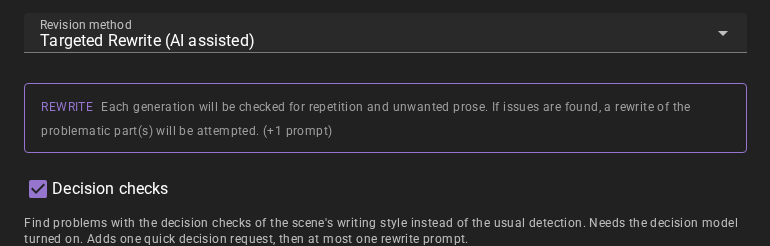
Decision Checks is an experimental Editor option, off by default. Enable the Decision Model, enable Revision, choose Targeted Rewrite or Unslop, then switch on Decision checks inside Revision. Select a writing style with decision checks in the scene settings. While a scene is loaded, a note under Decision checks says when there is nothing to check: the scene has no writing style, or its writing style has no active decision checks. The revision then runs the usual way, and the Decision Log records why. This does not enable automatic revision or change its selected targets. Automatic revision continues to exclude player input. Dedupe is unchanged.
Each eligible invocation is one evaluation, recorded as one Decision Log entry. It carries the current text once, as numbered passages, preceding story messages from Repetition Range (15 by default), the applicable writing style and active prose rules, and for a character's line that character's acting instructions, so a check does not flag a phrase the instructions ask for. Under tight input limits it carries fewer preceding messages, and its questions can go out as several requests. Generated context includes its existing task instructions and source information; summaries carry the earlier summaries, as many as the Summarizer's Use preceeding summaries to strengthen context setting (6 by default). This does not generate additional context with an LLM.
The writing style owns the list of checks, their questions, true/false criteria, correction instructions and probability thresholds. Open its template editor to change them. Add default checks adds four common checks in one click, including to a new writing style:
- Repeated beats and description reuse asks separately about a redundant story beat and reused distinctive wording or imagery. The description question can flag a reused description of a new event; its correction preserves the event.
- Writing style and unwanted prose checks the style instructions and active prose rules.
- Repeated dialogue and behavioural tics asks separately about a line or catchphrase and about a gesture or mannerism that the same character keeps repeating (from the third use on).
- Overdescription and filler prose looks for padded description and filler sentences. It judges only the prose, not the dialogue.
Each default check starts at 0.80, except Overdescription and filler prose at 0.50. Values at or above a check's threshold select a finding; probability describes uncertainty, not severity. Edit each threshold separately in the writing style.
New and existing styles without checks use the usual Editor detection until you add checks. The same applies when no scene style is selected, the list is empty, or all checks are inactive or inapplicable. No decision request is made on these paths. A style check marked as requiring instructions or prose rules is omitted when neither is available.
Revision uses the scene's writing style and active prose rules, including when revising contextual generation. A style selected just for generating that content does not replace the scene's revision style.
Successful checks replace fuzzy, embedding and phrase detection for that invocation. All selected findings go into one call to the configured revision method. If no passages qualify, or fewer than Minimum issues qualify, the text stays unchanged—even with Unslop. For example, a repeated observation in the first sentence and an unwanted phrase in the second can both be addressed by one rewrite.
When checks are off, the Decision Model is unavailable, or evaluation fails before revision starts, the Editor uses its usual detection and revision path. The Decision Log records failures and the fallback's outcome. A failure after a revision starts never launches another rewrite. Cancellation or a changed scene/message stops the operation. Before a request is sent, the earlier messages (or, for a summary, the earlier summaries) it carries are shortened to the decision model's input limits, oldest first, and checks that do not fit together go out as several requests. A request that still does not fit is not sent, and the Decision Log shows it.
Inspect Decision Log in Debug Tools or the Prompt Manager to see the submitted passages and questions, probabilities, the selected action or skip reason, and separate decision and action durations. One successful action does not necessarily mean the text changed: the existing response and length checks still apply.
The editor.decision-checks prompt renders the writing style's questions and
applies its thresholds. Prompt overrides remain subject to Revision enablement,
the selected method and the one-revision-call limit.