Settings
General
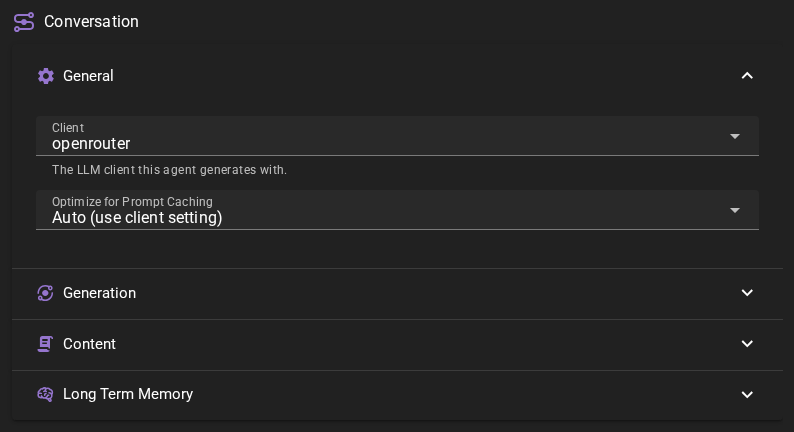
Inference perameters
Inference parameters are NOT configured through any individual agent.
Please see the Inference presets section for more information on how to configure inference parameters.
Client
The text-generation client to use for conversation generation.
Optimize for Prompt Caching
Places volatile context (long term memory, dynamic notes) after the scene history so that the stable part of the prompt can be cached by API backends. May confuse weaker models. Auto defers to the client setting.
Natural flow was moved
The natural flow settings have been moved to the Director Agent settings as part of the auto direction feature.
Generation
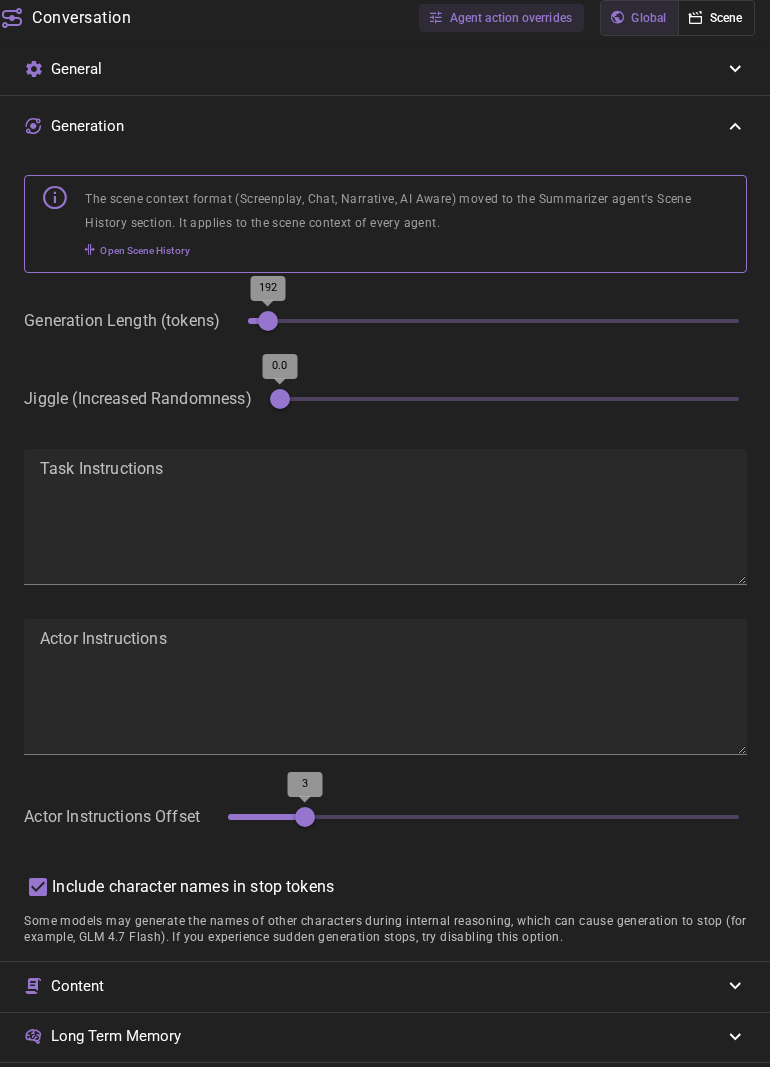
Format moved to the Summarizer
The scene context format (Screenplay, Chat, Narrative, AI Aware) is now set in the Summarizer agent's Scene History section. It applies to the scene context of every agent, not only to character dialogue. The Open Scene History link in this section takes you there.
Generation Length
The maximum length of the generated dialogue. (tokens)
Jiggle
The amount of randomness to apply to the generation. This can help to avoid repetitive responses.
Task Instructions
Extra instructions for the generation. This should be short and generic as it will be applied for all characters. This will be appended to the existing task instrunctions in the conversation prompt BEFORE the conversation history.
Actor Instructions
General, broad isntructions for ALL actors in the scene. This will be appended to the existing actor instructions in the conversation prompt AFTER the conversation history.
Actor Instructions Offset
If > 0 will offset the instructions for the actor (both broad and character specific) into the history by that many turns. Some LLMs struggle to generate coherent continuations if the scene is interrupted by instructions right before the AI is asked to generate dialogue. This allows to shift the instruction backwards.
Include character names in stop tokens
Some models may generate the names of other characters during internal reasoning, which can cause generation to stop early. If you experience sudden generation stops, try disabling this option.
Content
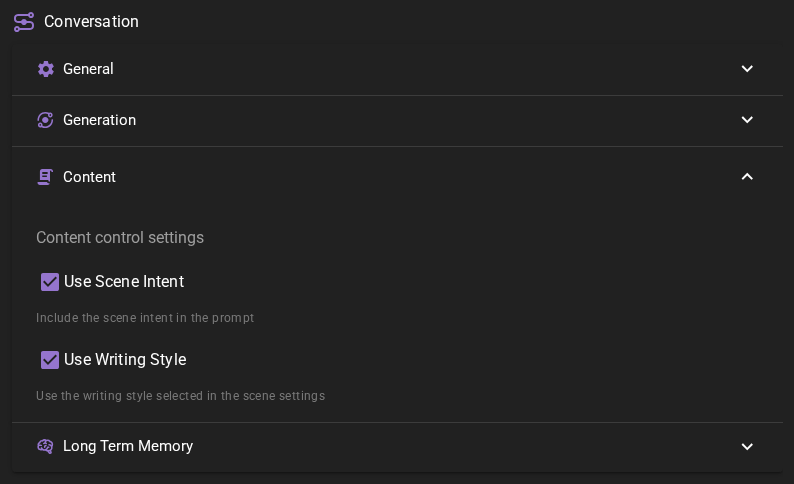
Content settings control what contextual information is included in the prompts sent to the AI when generating character dialogue.
Use Scene Intent
When enabled (default), the scene intent (overall intention) will be included in the conversation prompt. This helps the AI generate dialogue that aligns with your story goals and the current scene direction.
Disable this if you want the AI to generate dialogue without being influenced by the scene direction settings.
Use Writing Style
When enabled (default), the writing style selected in the Scene Settings will be applied to the generated dialogue.
Disable this if you want the AI to generate dialogue without following the scene's writing style template.
Character Knowledge
The section opens with the Character knowledge effort slider. One stop sets this group and the Summarizer knowledge settings together, as an unsaved edit of this page; see Effort presets for what each stop turns on and what it asks of your model.
Help characters respond using what they know. In Standard mode, use this group to filter history and memories by character knowledge. The controls below apply to Standard mode unless stated otherwise. Character knowledge: flow reference shows what each switch does, with diagrams.
Character perspectives, chosen when creating a new story or importing a character card, gives characters separate views of events and memories. It can also be changed in Scene Settings while history and archived history are empty. It replaces Standard-mode history filtering; Limit to character knowledge is hidden while that mode is active. Refine memories with AI remains available in either mode. This group does not change the story's mode. See Knowledge for setup, cost and retry guidance.
Limiting knowledge and character return transitions need no extra request. Refine memories with AI adds a request when it runs and is off by default.
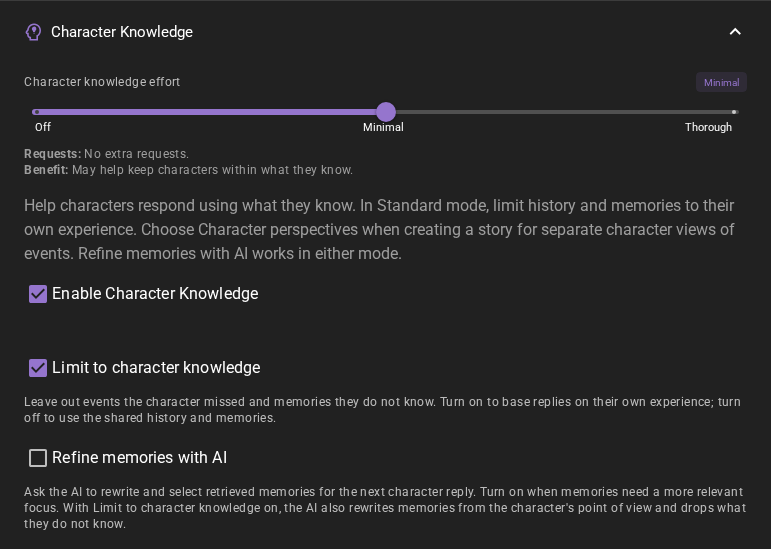
Limit to character knowledge
Leave out events the character missed and return only memories they know. Turn on to base replies on their own experience; turn off to use the shared history and memories. The filter also covers context investigations and world or other-character state notes. The character's own stored state notes and director guidance remain available; neither splits an absence into multiple markers. Missed history is replaced by one gap line, including when it crosses the summarized/live boundary in Best Fit mode. On by default.
Return transitions
With Limit to character knowledge enabled in Standard mode, or in Character perspectives mode, an actual return adds a statement at that point in the character's context: they have returned after being away, with the duration when scene time records one. Building it adds no model request. In Standard mode the absence is marked where the character left. Scene history shows the return as an [Name] activated chip; click the chip to add an Arrival Note. The chips appear in every scene, but without this setting they add nothing to any prompt. Derived timing updates automatically. The transition stays protected until the first completed reply and does not replay the departure exchange.
Refine memories with AI
Ask the AI to rewrite and select retrieved memories for the next character reply. Turn on when memories need a more relevant focus. The AI drops unhelpful memories and puts useful ones first. With Limit to character knowledge on, it also rewrites memories from the character's point of view and drops what they do not know. With that filter off, it only refines relevance. In Character perspectives mode, the memories are already limited to the character's knowledge.
Off by default. Uses one more request before each generated character reply that has retrieved memories, through the World State agent's client. The request uses the character's story context within that client's budget. If the answer cannot be read, the original retrieved memories are kept.
When Cache RAG results is enabled on Long Term Memory, regenerating a reply can reuse this refinement together with its cached retrieval when the story before the reply and the available memory sources are unchanged. Changing the refinement model, client settings or resolved inference preset runs it again. Standard semantic-only retrieval does not publish a shared cached result, so there is no refinement to reuse in that configuration.
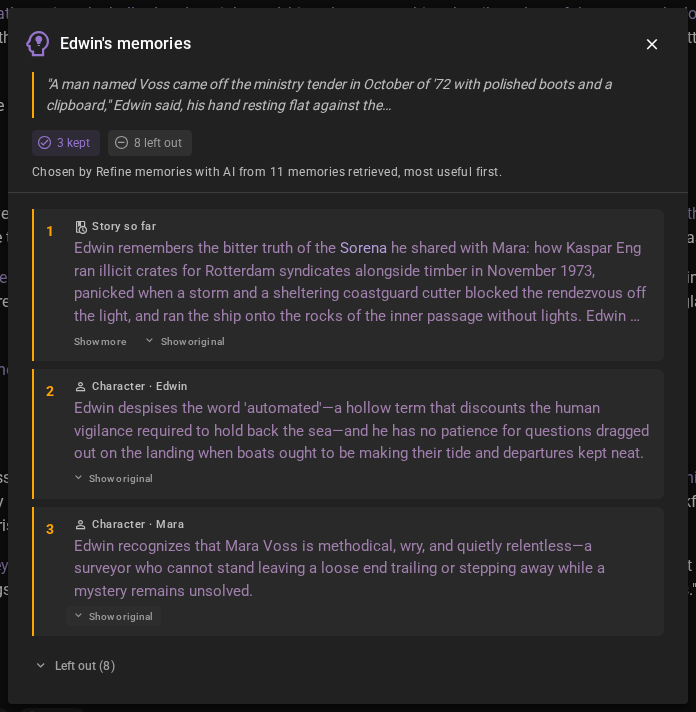
See what a character recalled
When this refinement shapes a reply, hover the reply and click Memories in its toolbar. The window lists the memories the character drew on, most useful first and as the AI rewrote them. Show original under a memory shows the text that was retrieved, and Left out lists the memories the AI set aside.
For example, after Edwin answers Mara's question about the tally on the oil store wall, Memories might show that he recalled his dislike of questions asked out on the landing, while Mara's dive logs were left out. When the AI kept nothing for a reply, the window says so. When its answer could not be read, the window says the memories were used as retrieved.
In Character perspectives mode, the AI can pick a memory of something the character already sees in the recent scene, such as their view of a message a few lines up. The reply gets that moment from the scene itself, not as a memory, so Left out lists it marked Already in the scene.
Each regenerated version of a reply keeps its own list. The list is not saved with the scene: replies from before the scene was loaded have no Memories button. To hide the button, turn off Memories button on character replies in Settings → Appearance → Messages.
Long Term Memory
If enabled will inject relevant information into the context using relevancy through the Memory Agent.
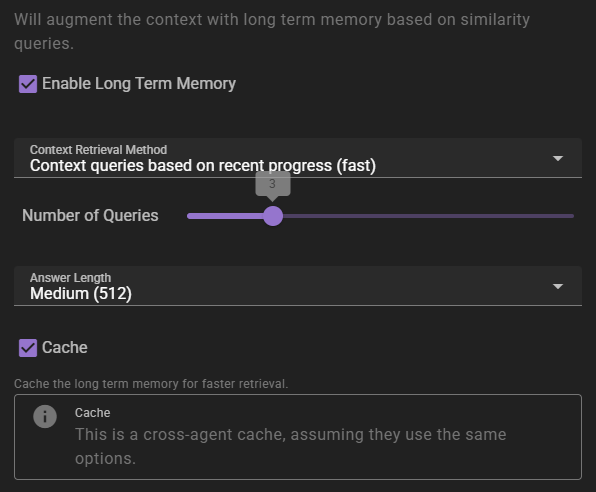
Context Retrieval Method
What method to use for long term memory selection
Context queries based on recent context- will take the last 3 messages in the scene and select relevant context from them. This is the fastest method, but may not always be the most relevant.Context queries generated by AI- will generate a set of context queries based on the current scene and select relevant context from them. This is slower, but may be more relevant.AI compiled questions and answers- will use the AI to generate a set of questions and answers based on the current scene and select relevant context from them. This is the slowest, and not necessarily better than the other methods.
Number of queries
Only shown for the two AI-assisted retrieval methods. It means different things depending on the method.
- For
Context queries generated by AIthis is the number of queries to generate. - For
AI compiled questions and answersthis is the number of questions to generate.
The default is 5. None (Semantic similarity only) does not use it.
Answer length
The maximum response length of the generated answers.
Cache
Enables the agent-wide cache of long term memory retrieval. Agents that share the same long term memory settings share the cache. AI-assisted retrieval publishes a cached result; character-scoped retrieval in Character perspectives mode can also cache semantic-only results. Standard semantic-only retrieval remains uncached.
Regenerating a reply reuses a published result only when the story before that reply, the memory sources available to the retrieval, and its settings are unchanged. New or edited world entries, character details and archives refresh affected cached results, as do relevant knowledge visibility and memory-collection changes. When retrieval is limited to character knowledge, access rules tied to the reply being regenerated do not count as earlier sources. Without that limit, access rules do not affect retrieval. Changes to older retained access rules still refresh affected results. A retrieval already in progress can finish with its earlier context. A result built before one of those inputs changed is not reused after the change.
Character evidence in perception scenes
In opted-in perception scenes, actor guidance and conversation analysis use the character’s stored evidence and last-known context. Cached advice is reused only for the same audience and unchanged evidence. Reader planning remains available, but its advice must not assume that characters know private reader information. Actor prompts use only the character evidence described above. Talemate selects the evidence and checks that it is current; whether the generated advice keeps to it depends on the model. See Author responsibilities for what stays shared with every character. Legacy scenes retain the settings behavior described above.