Settings
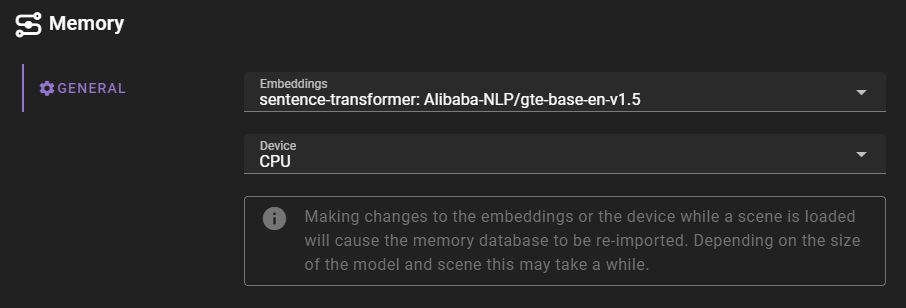
Embeddings
Select which embedding to use. Embeddings themselves are managed through the Application Settings.
openAI
If you are using the OpenAI API, you will need to have an API key and set it in the application config. See here for setting up the OpenAI API key.
Device
The device to use for the embeddings. This can be either cpu or cuda.
Switching device without a restart (0.37.0)
As of version 0.37.0, changing the device while a scene is loaded no longer requires restarting Talemate. The previously loaded model is released from ChromaDB's cache and any GPU memory it held is freed before the new device is applied. The scene's memory database is re-imported automatically — depending on the size of the model and scene this may take a moment.