Import character
You can import other characters from existing talemate scenes.
Open the World Editor and navigate to the Characters tab.
Click the Import character button.
A "Import character" dialog will appear. Select the scene you want to import the character from, then select the character you want to import.
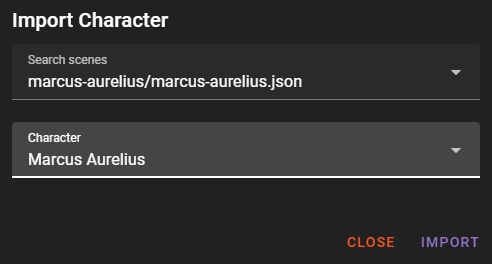
Then click the Import button to import the character.
The character arrives inactive, so add it to the scene from the character list when you want it there.
One name, one character
A scene holds one character per name, and the comparison ignores case. If the scene already has a character with that name, the import is refused and the dialog shows Name "X" already exists. Rename the character in its own scene first, or remove the one the scene already has.