Presets
Change inference parameters, embedding parameters and global system prompt overrides. The Presets group in the settings sidebar holds three pages: Inference, Embeddings and System Prompts.
Inference
Advanced settings. Use with caution.
If these settings don't mean anything to you, you probably shouldn't be changing them. They control the way the AI generates text and can have a big impact on the quality of the output.
This document will NOT explain what each setting does.
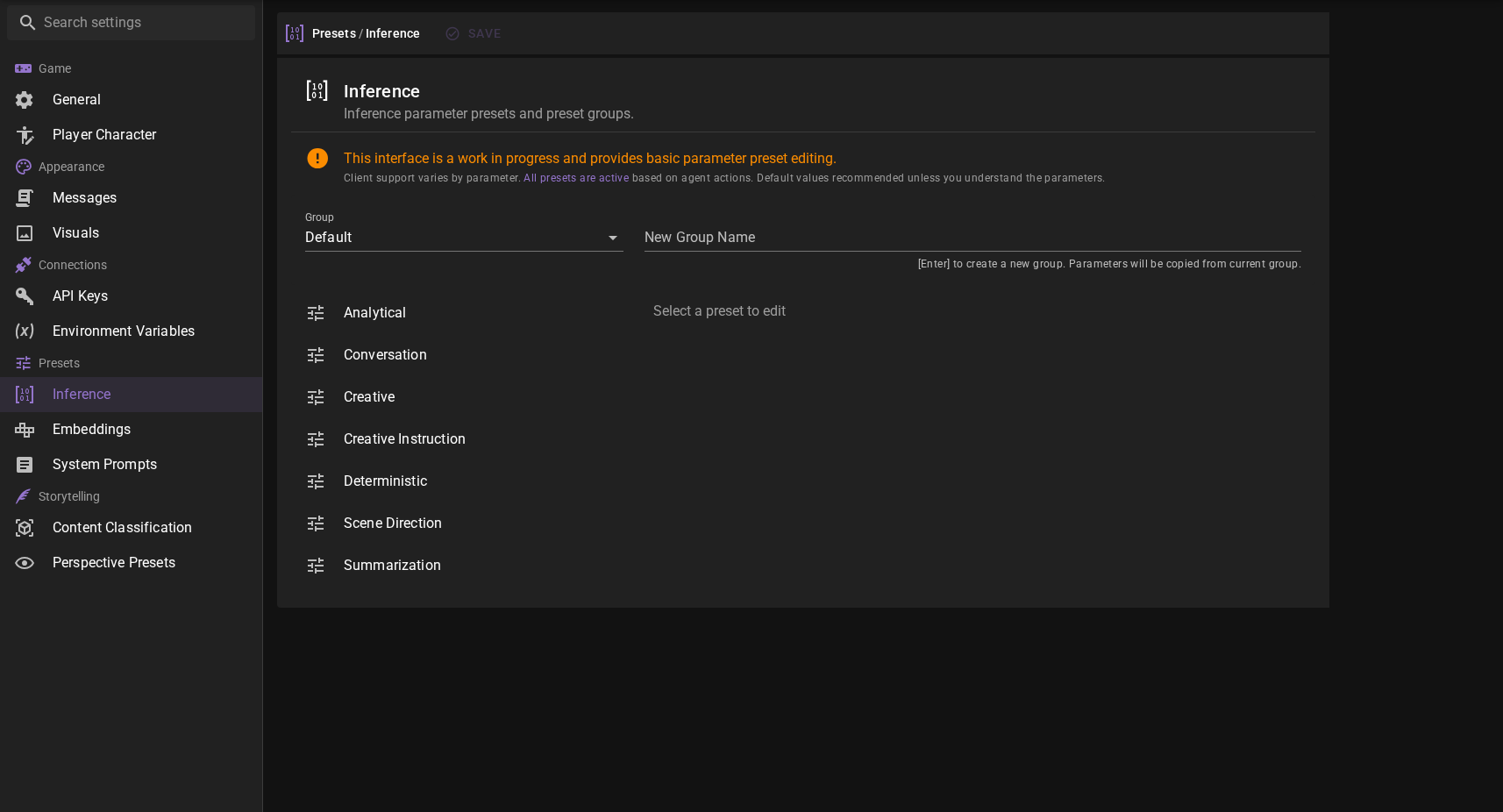
If you're familiar with editing inference parameters from other similar applications, be aware that there is a significant difference in how TaleMate handles these settings.
Agents take different actions, and based on that action one of the presets is selected.
That means that ALL presets are relevant and will be used at some point.
For example analysis will use the Anlytical preset, which is configured to be less random and more deterministic.
The Conversation preset is used by the conversation agent during dialogue gneration.
The other presets are used for various creative tasks.
These are all experimental and will probably change / get merged in the future.
Embeddings
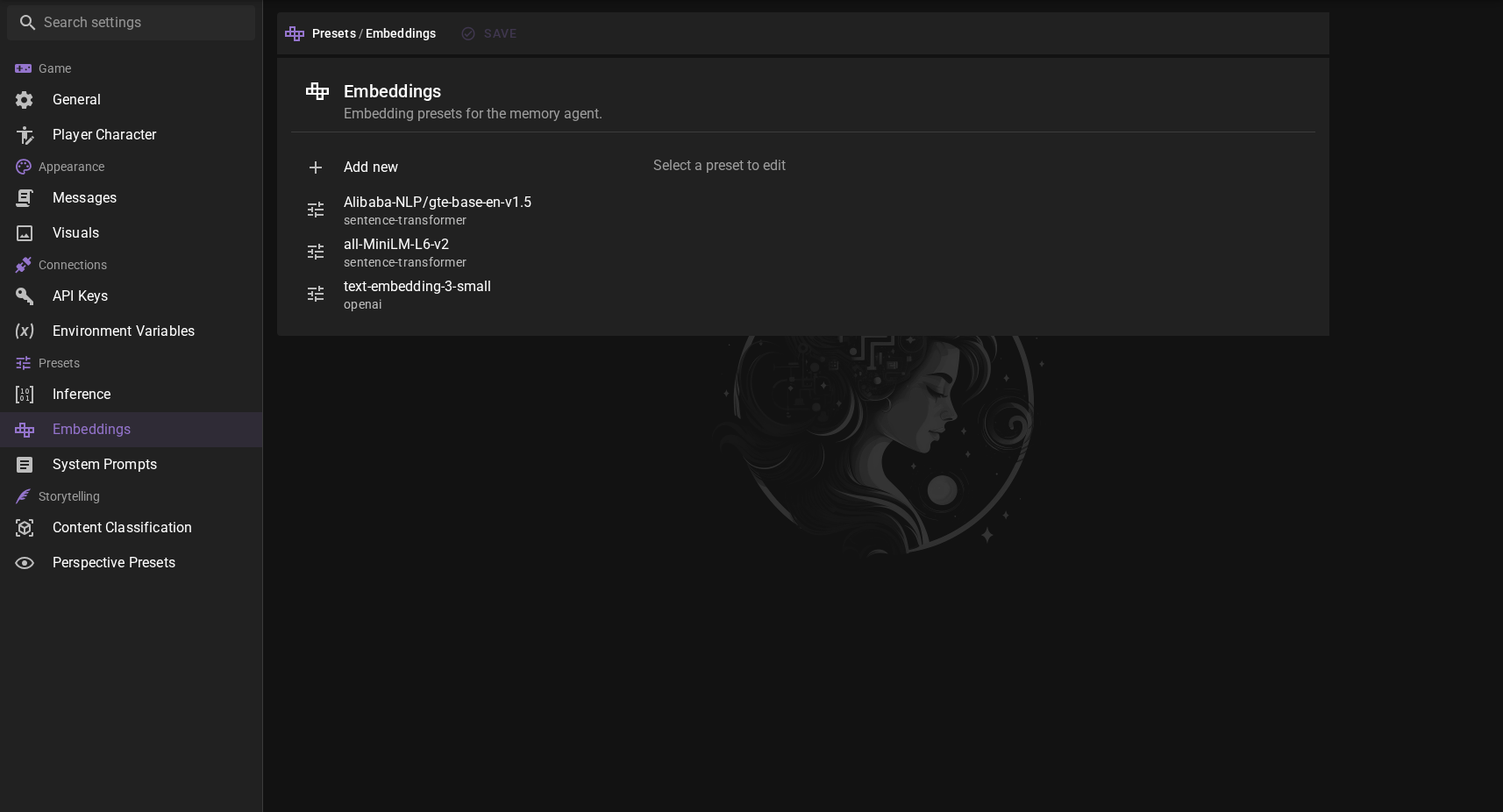
Allows you to add, remove and manage various embedding models for the memory agent to use via chromadb.
Pre-configured Embeddings
all-MiniLM-L6-v2
The default ChromaDB embedding. Also the default for the Memory agent unless changed.
Fast, but the least accurate.
Alibaba-NLP/Gte-Base-En-V1.5
Sentence transformer model that is decently fast and accurate and will likely become the default for the Memory agent in the future.
OpenAI text-embedding-3-small
OpenAI's current text embedding model. Fast and accurate, but not free.
Adding an Embedding
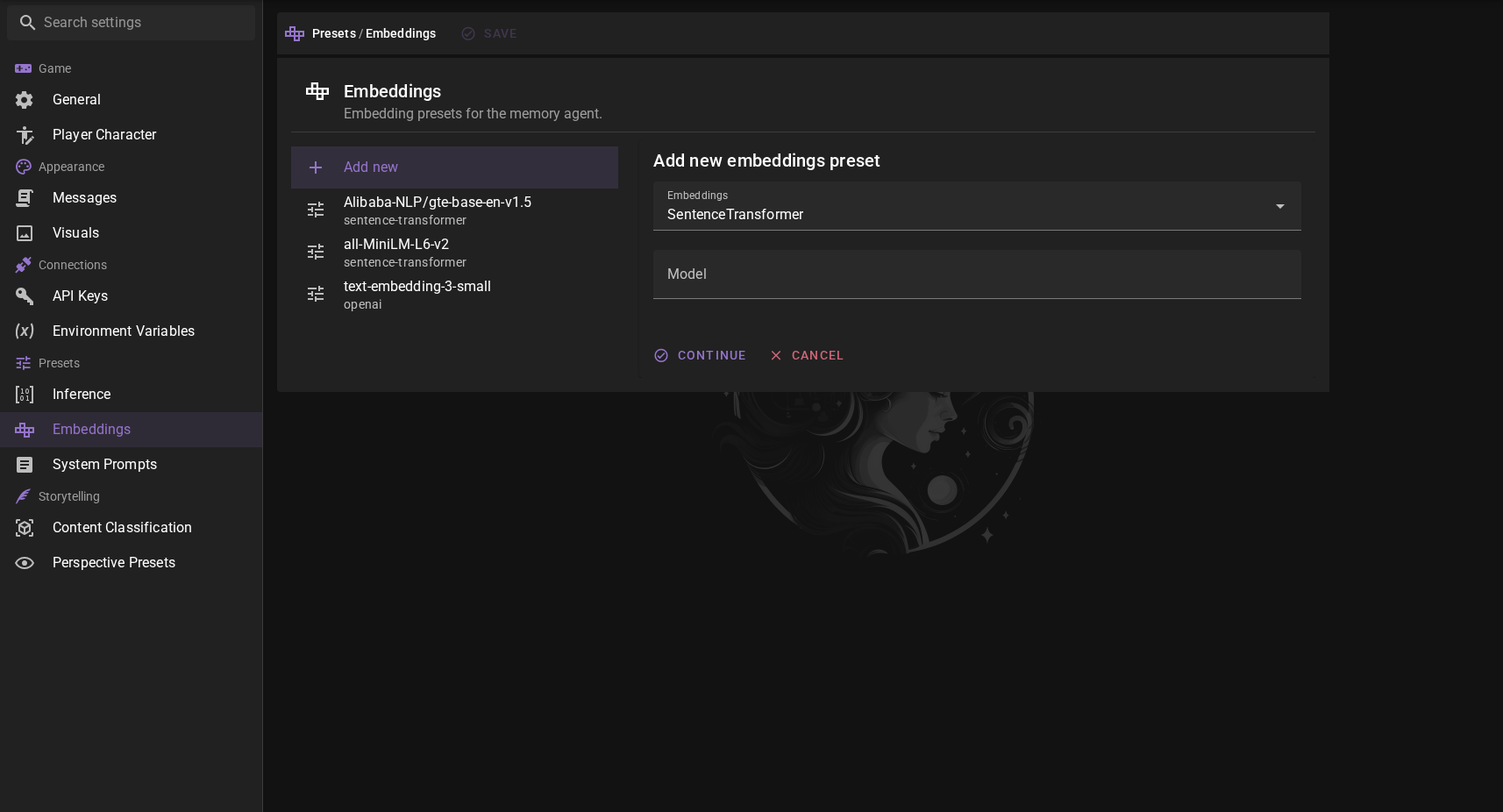
You can add new embeddings by clicking the Add new button.
Select the embedding type and then enter the model name. When using sentence-transformer, make sure the modelname matches the name of the model repository on Huggingface, so for example Alibaba-NLP/gte-base-en-v1.5.
New embeddings require a download
When you add a new embedding model and use it for the first time in the Memory agent, Talemate will download the model from Huggingface. This can take a while, depending on the size of the model and your internet connection.
You can track the download in the talemate process window. A better UX based download progress bar is planned for a future release.
Editing an Embedding
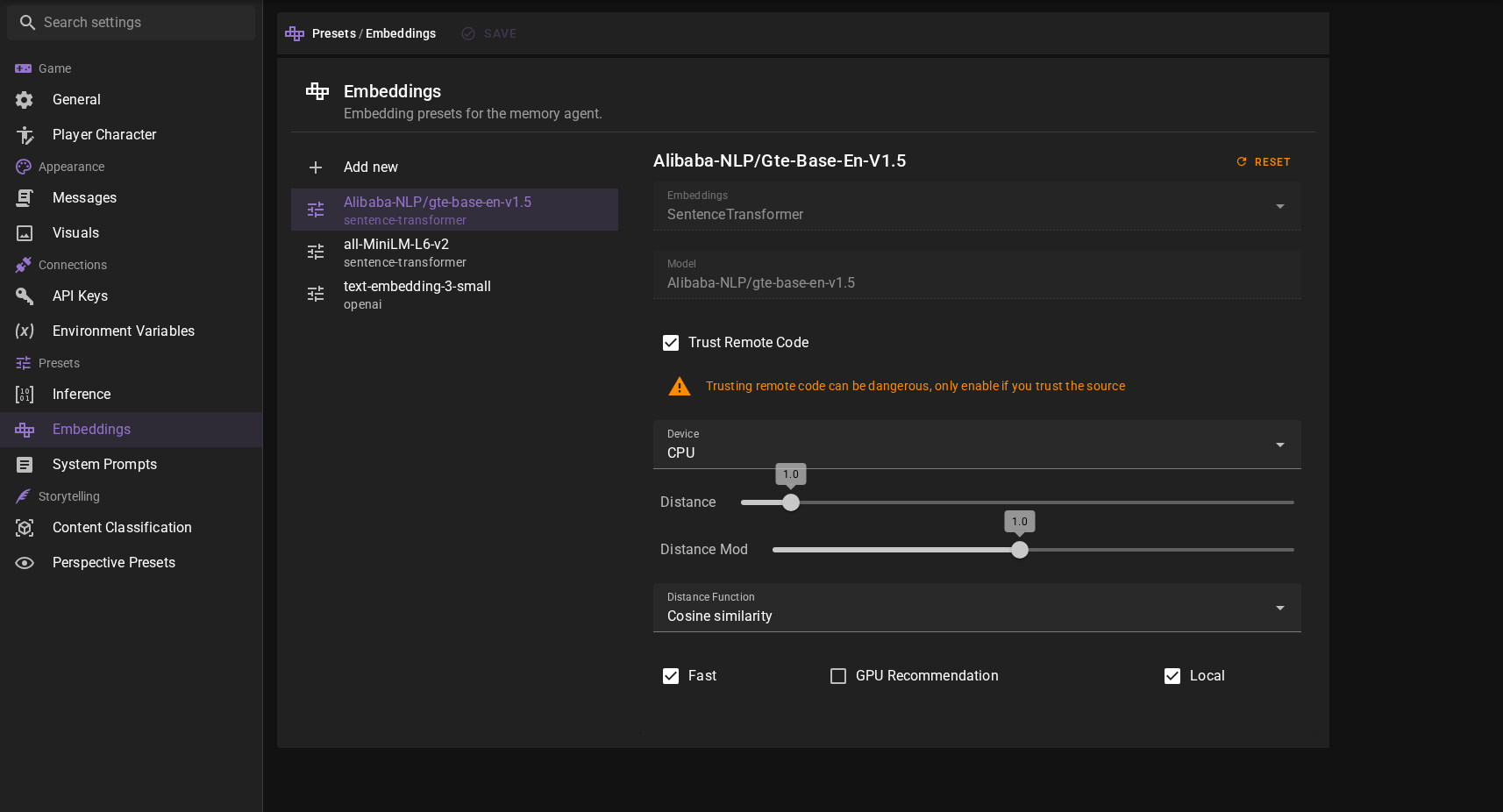
Select the existing embedding from the left side bar and you may change the following properties:
Trust Remote Code
For custom sentence-transformer models, you may need to toggle this on. This can be a security risk, so only do this if you trust the model's creator. It basically allows remote code execution.
Warning
Only trust models from reputable sources.
Device
The device to use for the embeddings. This can be either cpu or cuda. Note that this can also be overridden in the Memory agent settings.
Switching device without a restart (0.37.0)
Changing the device no longer requires restarting Talemate. The old model is released from ChromaDB's cache and any GPU memory it held is freed before the new device is applied, and the active scene's memory database is re-imported automatically.
Distance
The maximum distance for results to be considered a match. Different embeddings may require different distances, so if you find low accuracy, try changing this value.
Distance Mod
A multiplier applied to Distance when deciding whether a result is a match. The effective cutoff used during a search is Distance × Distance Mod, so this slider lets you fine-tune search sensitivity without changing the base distance.
- Range:
0.1to2.0, in steps of0.1. - Default:
1.0. - Lower values tighten the match (fewer, more relevant results).
- Higher values loosen the match (more results, lower relevance).
Also tunable from the Context Database
The Context Database page exposes this same value as the Search Strictness slider, making it easy to adjust on the fly while testing searches. Changes made in either place are saved to the same preset.
Distance Function
The function to use for calculating the distance. The default is Cosine Similarity, but you can also use Inner Product or Squared L2. The selected embedding may require a specific distance function, so if you find low accuracy, try changing this value.
Fast
This is just a tag to mark the embedding as fast. It doesn't actually do anything, but can be useful for sorting later on.
GPU Recommendation
This is a tag to mark the embedding as needing a GPU. It doesn't actually do anything, but can be useful for sorting later on.
Local
This is a tag to mark the embedding as local. It doesn't actually do anything, but can be useful for sorting later on.
System Prompts
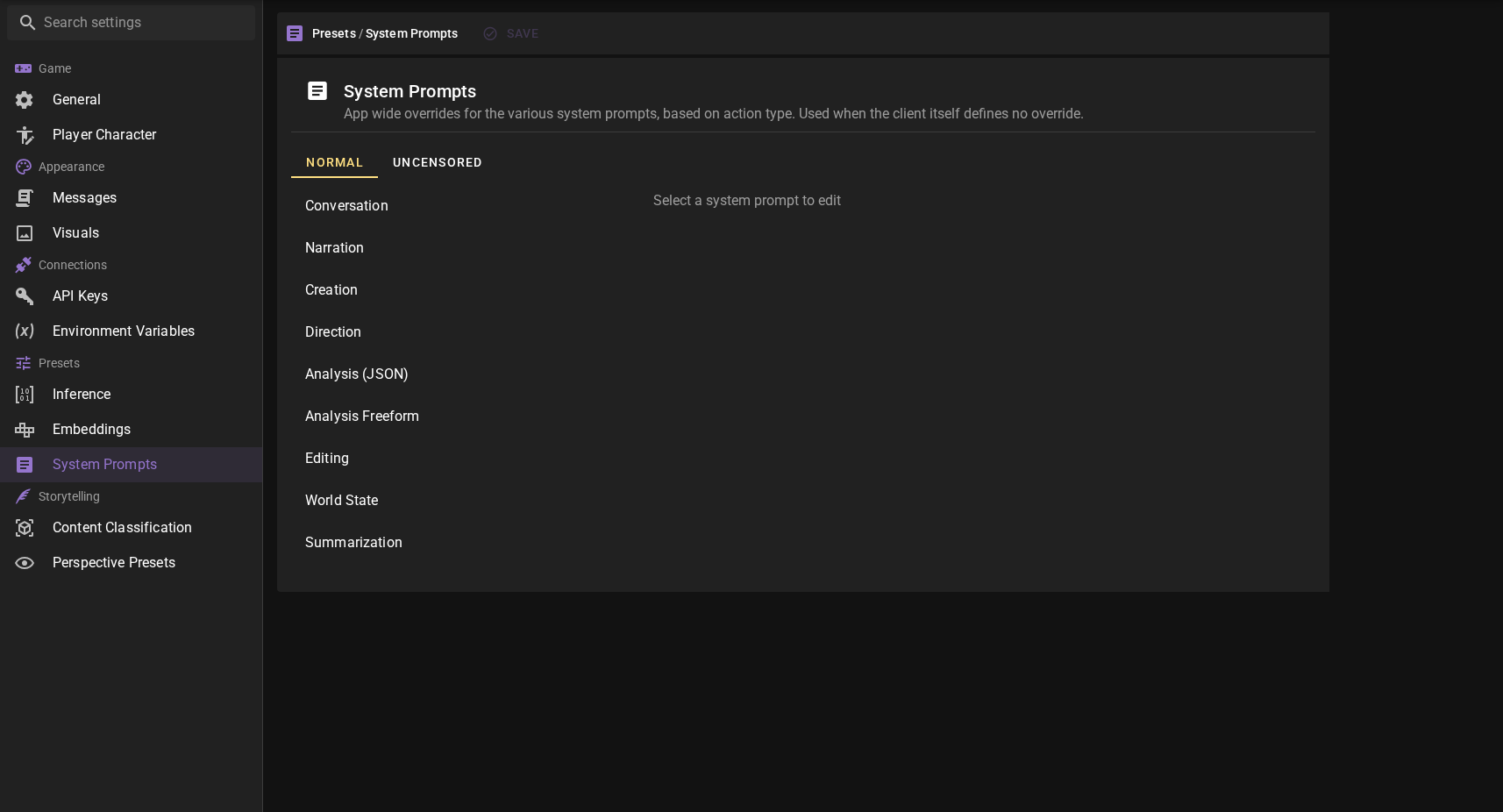
This panel lets you override the global system prompts for the entire application for each prompt kind (Conversation, Narration, Creation, and so on). Per-client overrides live on the System Prompts tab of each client's configuration dialog.
See System Prompt Overrides for the full reference, including:
- Which prompt kinds exist and what they are used for.
- How Normal and Uncensored variants are selected.
- The pencil icon that marks entries with an active override (added in 0.37.0).
- How to include the default prompt inside your override with
{{ system_prompt }}(added in 0.37.0).